Personizelypersonizely.net

Personizely changelog

New features, improvements and fixes in Personizely, the Shopify experimentation platform.

October 2026

New feature

What we shipped since June

It has been a busy few months. Here are the highlights:

Plus many smaller improvements and fixes.
September 2026

New feature

A new dashboard with your campaigns and widgets in one place

A new dashboard with your campaigns and widgets in one place

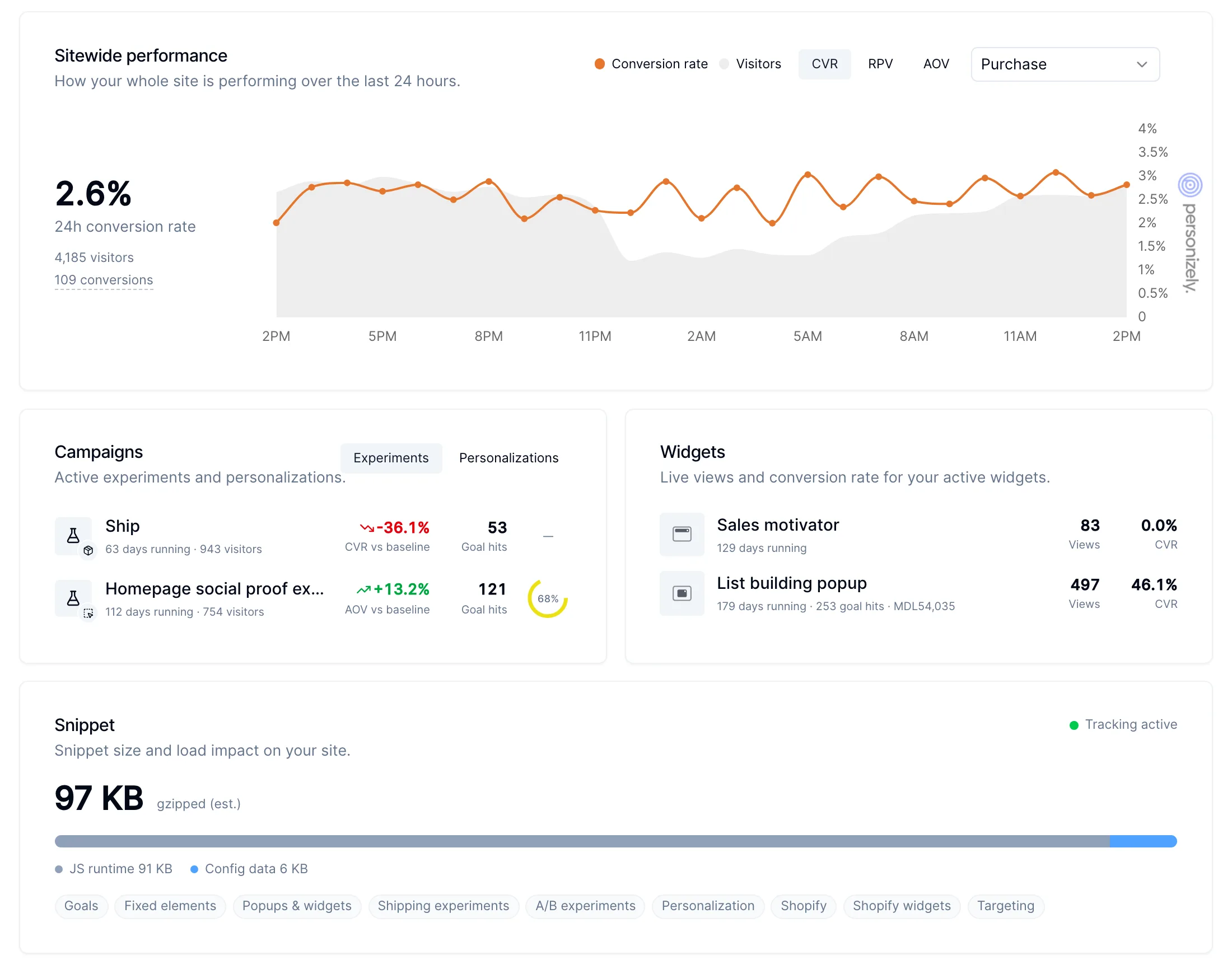
The dashboard has been rebuilt to answer "how is my site doing right now?" as soon as you log in. It covers the last 24 hours and shows your experiments and personalizations next to your widgets.

What is on it

  • Sitewide performance: conversion rate, revenue per visitor (RPV) or average order value (AOV) for the whole site over the last 24 hours, hour by hour, for the goal you pick, with visitors in the background.
  • Campaigns: your running experiments and personalizations, in two tabs. Each shows how long it has been running, its visitors, the change against the baseline on its primary metric, goal hits and how close an experiment is to its required sample size.
  • Widgets: your active widgets with their live views and conversion rate.
  • Snippet: the size of your Personizely snippet, split into the script and your configuration, which features it includes, and whether tracking is active.

Numbers are calculated from live data, and hours follow your timezone.

  • Analytics
New feature

Clone elements in the campaign editor

You can now duplicate any element on your page in the campaign editor and change the copy, instead of building it from scratch.

  • Editor
New feature

See how your personalization control group performs

Personalization reports now let you drill down into the control group, just like the personalized variations, so you can see exactly what the personalization is adding.

In the same release, goals can be filtered by order tags in reports and through the API.

  • Personalization
  • Analytics

August 2026

New feature

@personizely/sdk: full-stack experiments in Node, the browser and the edge

Our new JavaScript SDK lets developers run full-stack experiments, feature flags and personalizations anywhere JavaScript runs: in the browser, on a Node server or at the edge. Decisions are made locally from your website's campaign data, so there is no network call per decision, and each visitor always lands in the same variation.

npm install @personizely/sdk
import { Personizely } from '@personizely/sdk'

const ply = new Personizely({ apiKey: 'your-website-key' })
await ply.ready()

const result = await ply.runCampaign(1234)
if (result?.getFeature('checkout-v2').enabled) {
  // show the new checkout
}

It reports impressions, events and goals to Personizely like the regular snippet, so results show up in your campaign reports. The SDK runs full-stack campaigns only; content, product, shipping, URL split and template campaigns keep running through the Personizely snippet on your store.

See the package page on npm for setup and examples.

  • API

July 2026

New feature

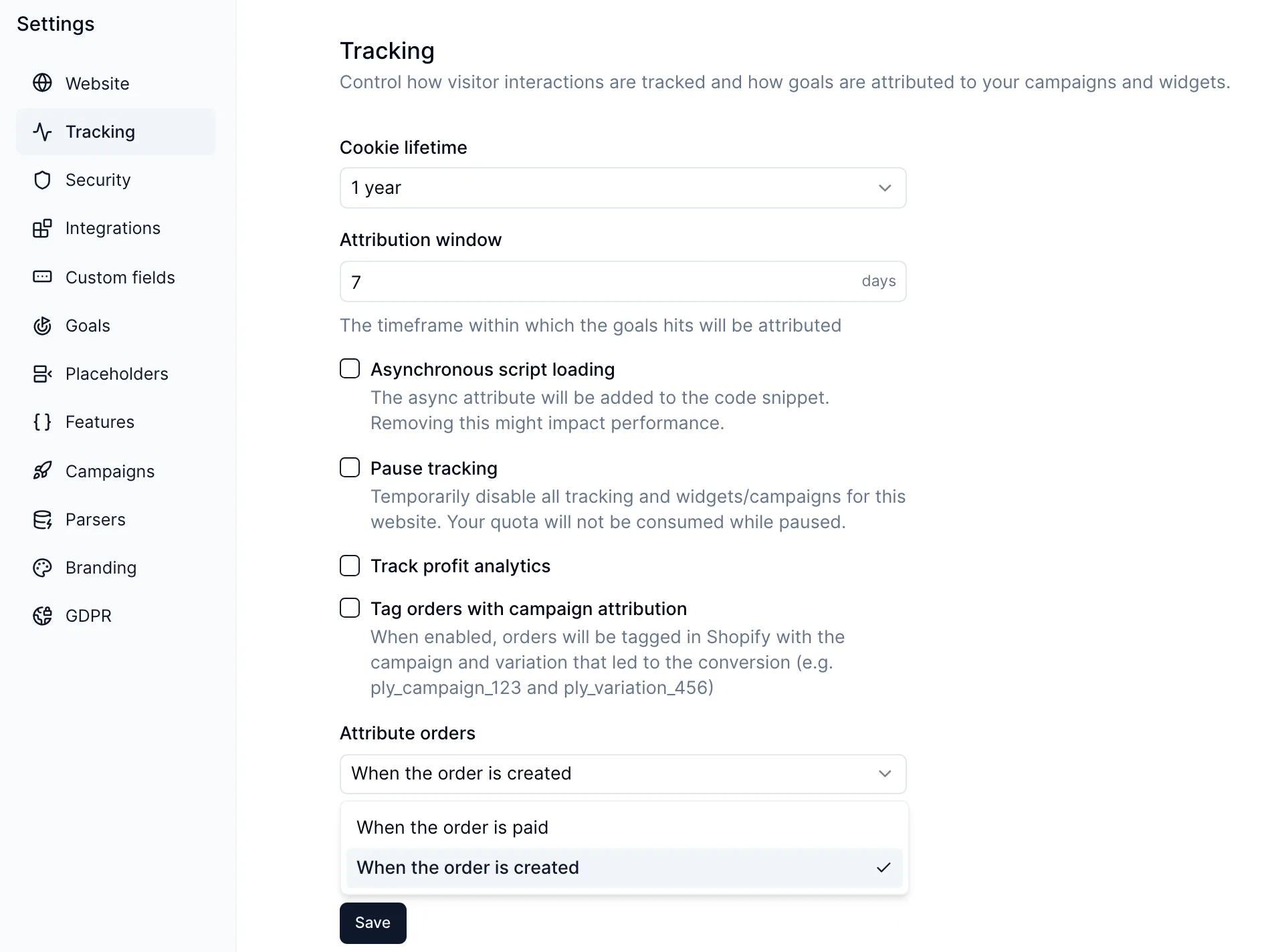
Count orders when they are created, not only when they are paid

Count orders when they are created, not only when they are paid

Until now, a Shopify order counted as a conversion for your campaigns and widgets only once it was paid. That works for most stores, but orders paid later, such as cash on delivery, bank transfers or payment on invoice, were attributed late or not at all, so experiments in markets that rely on them looked worse than they were.

You can now choose when an order is attributed:

  • When the order is paid (default). Only paid orders count, so revenue in your reports matches money received.
  • When the order is created. Every order counts the moment it is placed, including cash on delivery and other unpaid orders.

How to set it

Go to Settings > Tracking and pick an option under Attribute orders. It applies to your whole Shopify store and takes effect for orders from the moment you save; past orders are not recounted.

Use When the order is created if a meaningful share of your orders is paid later. Keep the default if most of your customers pay at checkout.

  • Experiments
  • Analytics
  • Shopify

June 2026

New feature

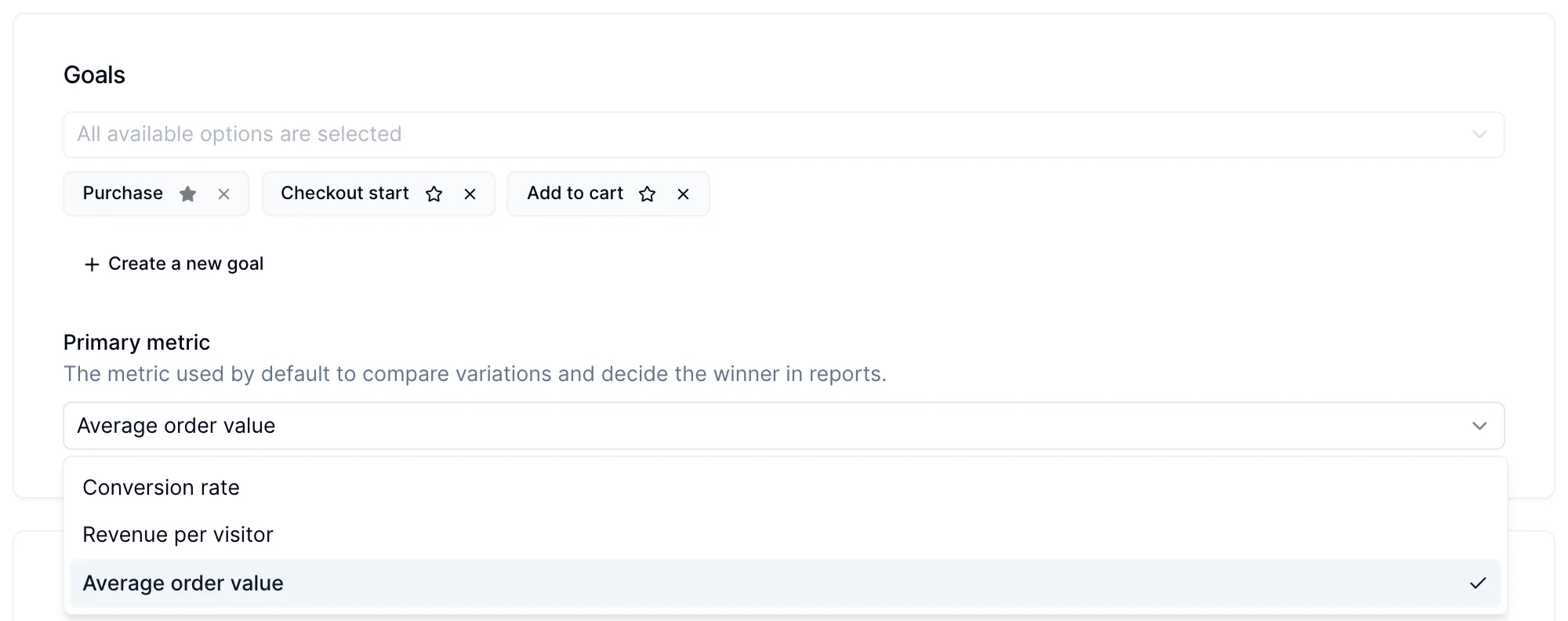
Choose the primary metric for each campaign, including AOV

Choose the primary metric for each campaign, including AOV

You can now pick the metric each campaign is judged on, and average order value (AOV) is one of the options. Reports and the winner verdict follow the metric you choose, so a test meant to raise basket size is not declared a loser just because its conversion rate did not move.

How to set it

Open a campaign and find Primary metric in the Goals section. The options are:

  • Conversion rate (default): the share of visitors who reached the primary goal.
  • Revenue per visitor: revenue divided by all visitors in each group. A good all-round choice for revenue tests.
  • Profit per visitor: only shown when profit analytics is on for your website.
  • Average order value: revenue per order. Use it for upsells, bundles and free-shipping thresholds, where the goal is bigger orders rather than more of them.

The primary metric sets the default view and decides the winner. You can still switch the Compare by selector in the report to look at the other metrics. The same setting is available through the API and the MCP server.

In August we also started showing the estimation formula even when the control is the winner, so you can always see how an estimate was reached.

  • Experiments
  • Analytics
New feature

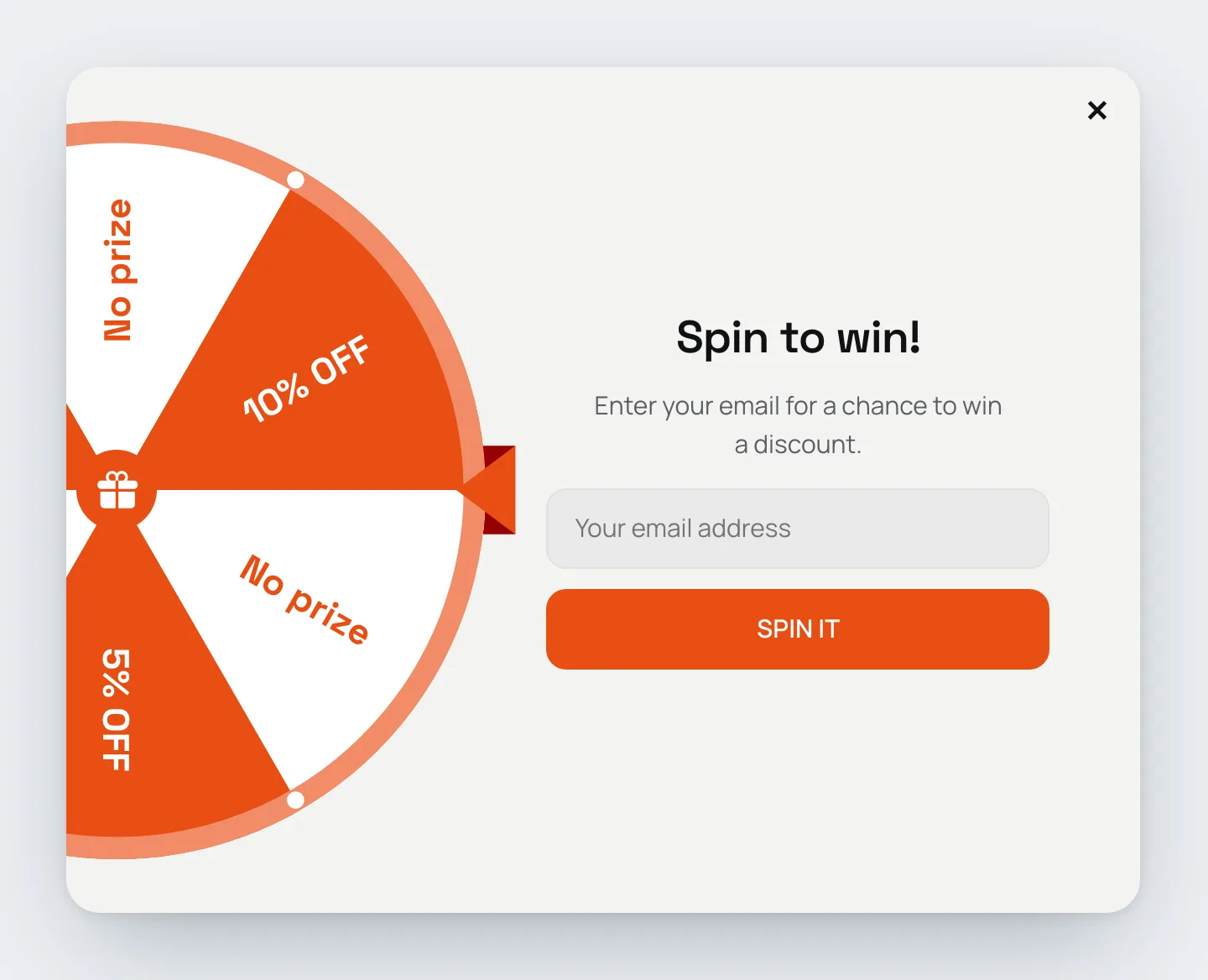
Spin-to-win wheel for widgets

Spin-to-win wheel for widgets

Add a wheel of fortune to any widget. Visitors spin it for a chance to win a discount, which makes list-building and discount popups more engaging than a plain form.

Start from a template

Spin-to-win templates are available under List building, with an email field visitors fill in before they spin, and under Promo, without one. Each comes in two layouts: the wheel above the text, or a half wheel on the side with the form next to it. They pick up your theme's colors and fonts. Each comes with six segments (10% off, 5% off, free shipping, "Try again" and two "No prize"), a reward step with a coupon code for every prize and a "Better luck next time" step. Replace the sample codes with your own before you publish.

You can also add the Wheel of Fortune element to any existing widget, and use the Spin the wheel action on a button or form to start the spin.

Set up each segment

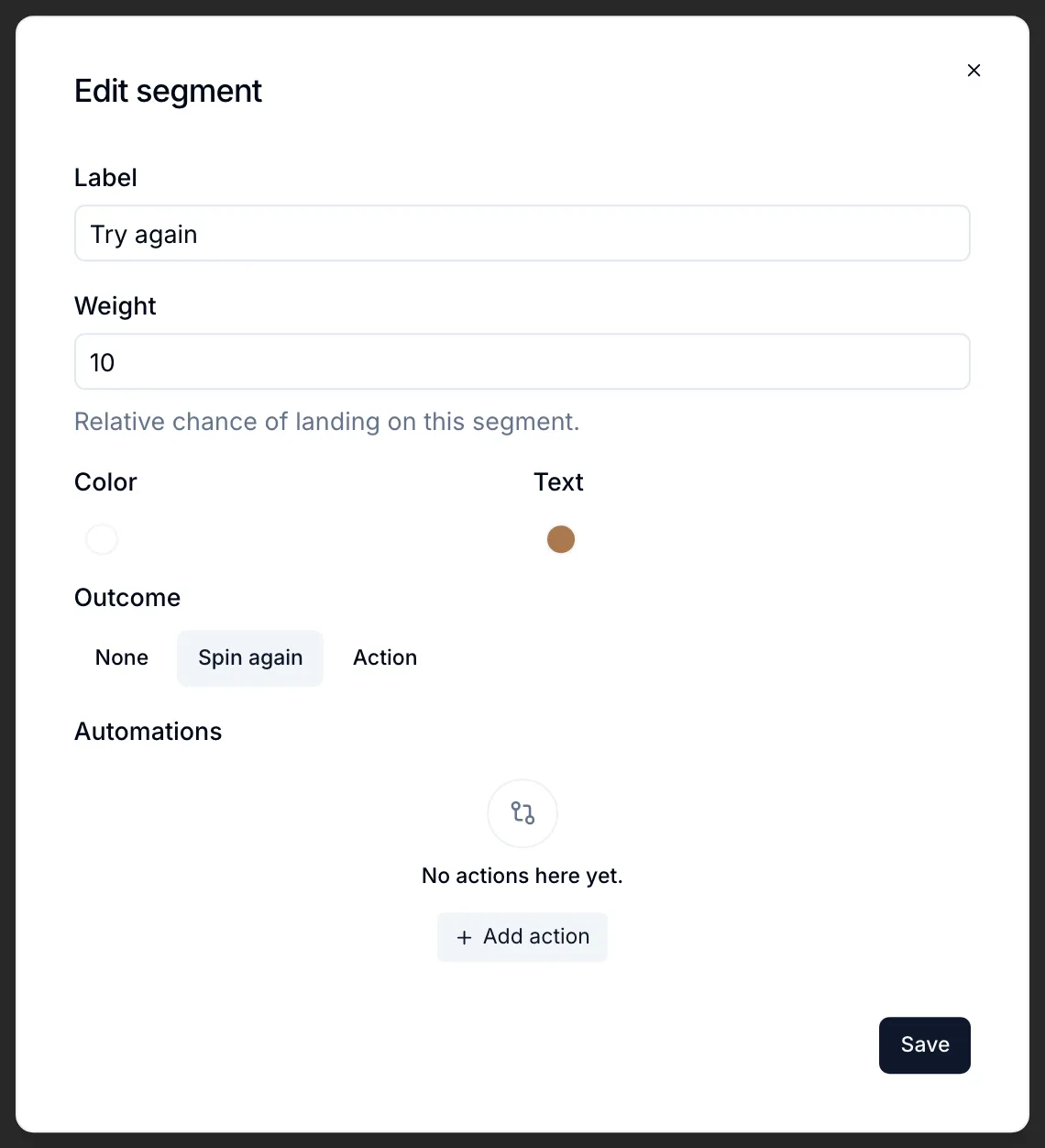
Click a segment in the element settings to edit:

  • Label, Color and Text color.
  • Weight: the relative chance of landing on it. A segment with weight 2 is hit twice as often as one with weight 1.
  • Outcome, what happens when the wheel stops on it:
    • None: nothing, the wheel just shows the result.
    • Spin again: the visitor gets another spin.
    • Action: for example go to the step with the matching coupon, open a URL or close the widget. Integration automations can run per segment too.

Edit segment window with label, weight, colors and outcome

The wheel itself has a Spin duration and a Result delay (a short pause before the outcome runs), and you can style the labels, rim, dots, pointer (top or right) and the hub in the middle (an icon, text or nothing).

Spins are tracked as their own event, separately from views and clicks.

  • Widgets

May 2026

New feature

The Personizely MCP Server and API

The Personizely MCP Server and API

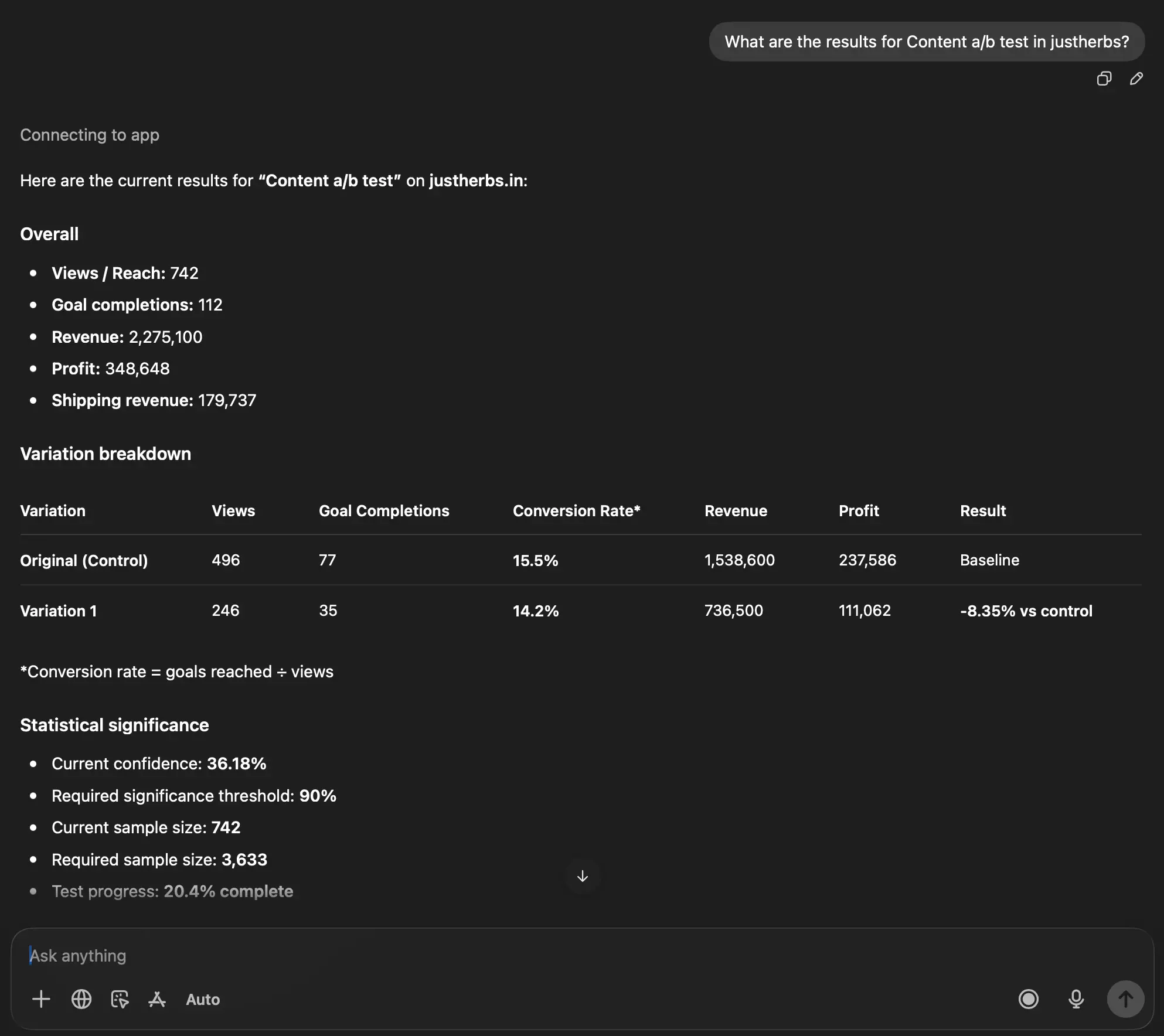
Personizely now offers an MCP server at https://mcp.personizely.net that you can easily connect to in the AI chats you use every day - like ChatGPT, Claude, Claude Code and others. This allows you to "talk" to your data and use AI to help you interpret campaign results.

To find out more, read our documentation: https://docs.personizely.net/mcp-server

The MCP communicates via our newly released Public API, which you can use to build various tools or AI skills via API Keys. You can find the API reference here: https://docs.personizely.net/list-campaigns

April 2026

New feature

Outlier detection

Outlier detection

You will now get a warning in the campaign report if your experiment has been attributed outlier orders based on the z-score of your past purchase events (orders). You can also review and remove these conversions from your campaign.

New feature

Product price experiments (campaigns) for non-Shopify Plus stores

We're excited to announce that you now can run product price experiments on Shopify stores on any plan.

While these campaigns will keep relying on Cart transform functions for the stores on Shopify Plus – for store on other plans we'll rely on duplicate unlisted products for running them. To find out more about how this works see our documentation.

February 2026

New feature

Advanced analytics filtering and breakdowns

Advanced analytics filtering and breakdowns

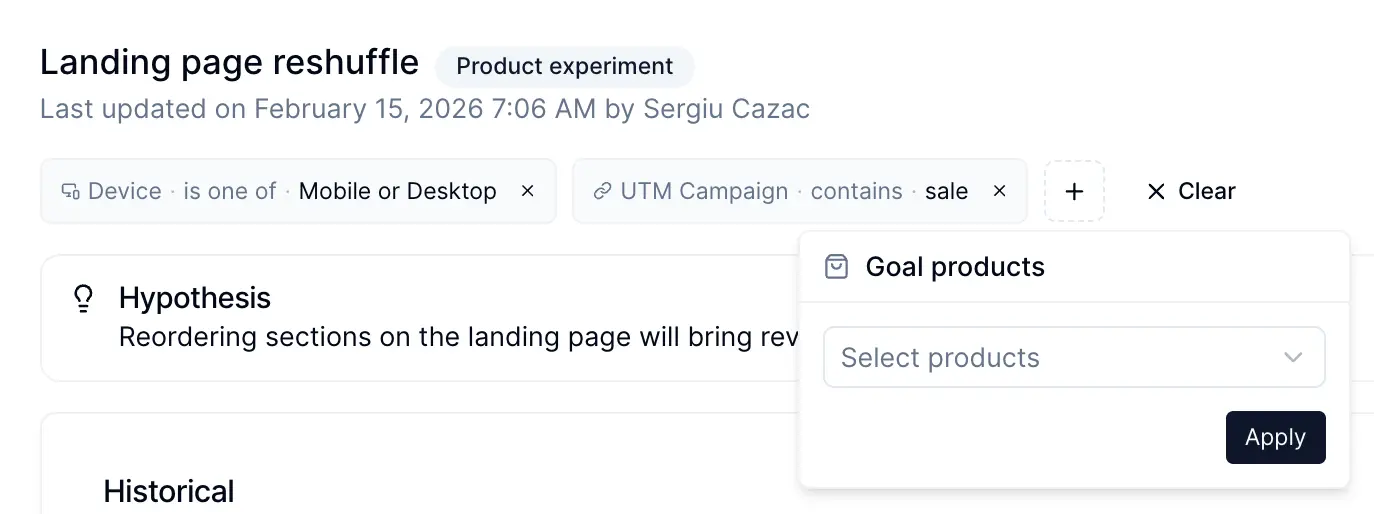
It's now possible to filter the campaign and report analytics by multiple dimensions including:

  1. Visitor type
  2. Device
  3. Browser
  4. OS
  5. Geo-data
  6. Goal value, goal products and Z-Score
  7. UTM Parameters, Referrer and First entry page of the visitor

These allow you do drill down deeper in the data and learn how your variations perform across different segments of visitors.

When you apply filter - it will be reflected in the URL so you can share it with your colleagues to make sure you are looking at the same data.

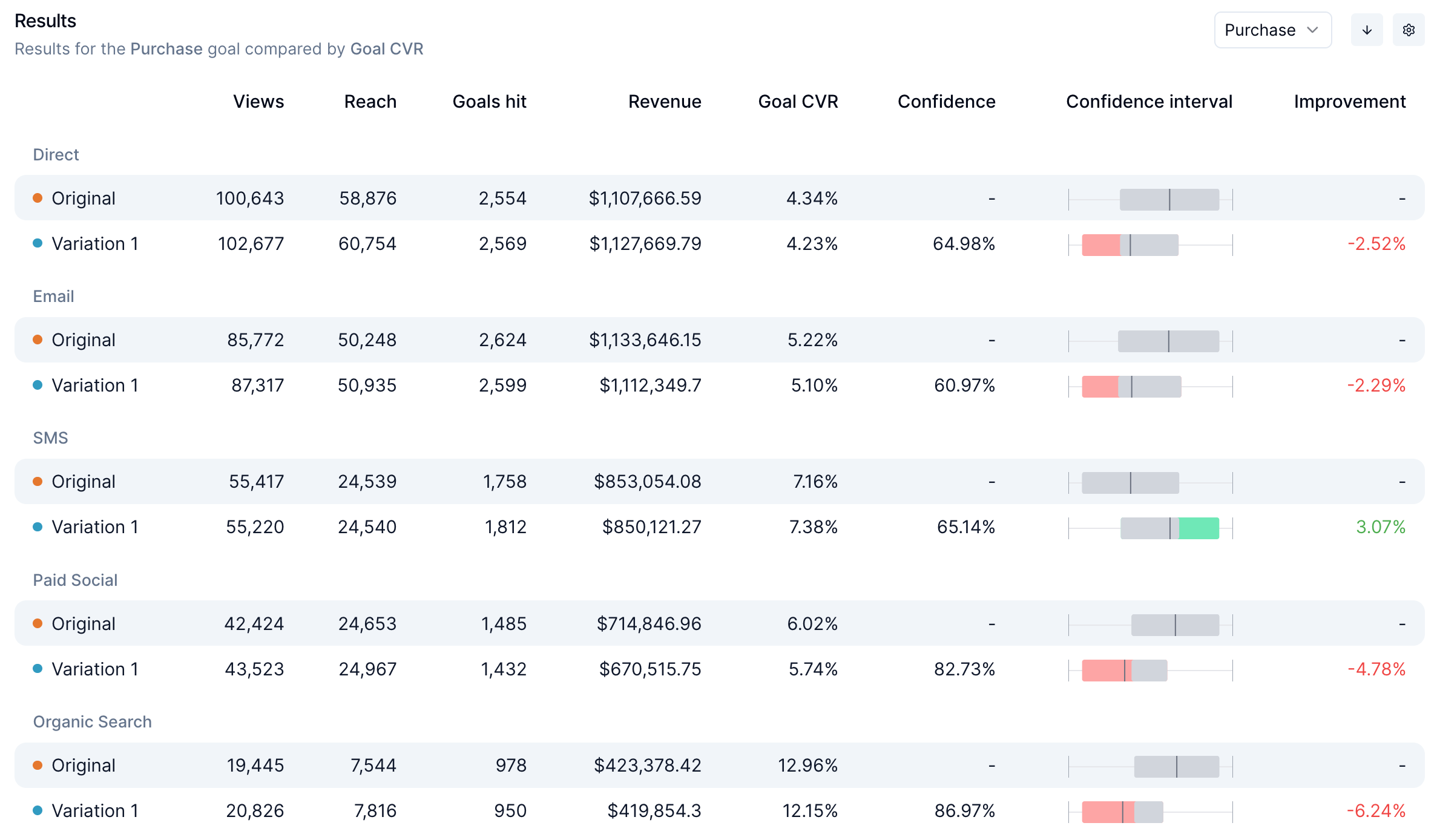
Besides filtering it's now also possible to break down results by various dimensions like device/channel/country.

New feature

Shipping experimentation for Shopify

A new, long-awaited type of campaign has been shipped (pun intended). You can now run experiments on shipping pricing, threshold, descriptions, names, and structure.

Shipping experiments work through Custom Carriers Services, where a carrier service will be created instead of your existing shipping methods. These allow you to test different free shipping thresholds, experiment with descriptions, names and shipping tiers.

New feature

Tag based goals

Tag based goals

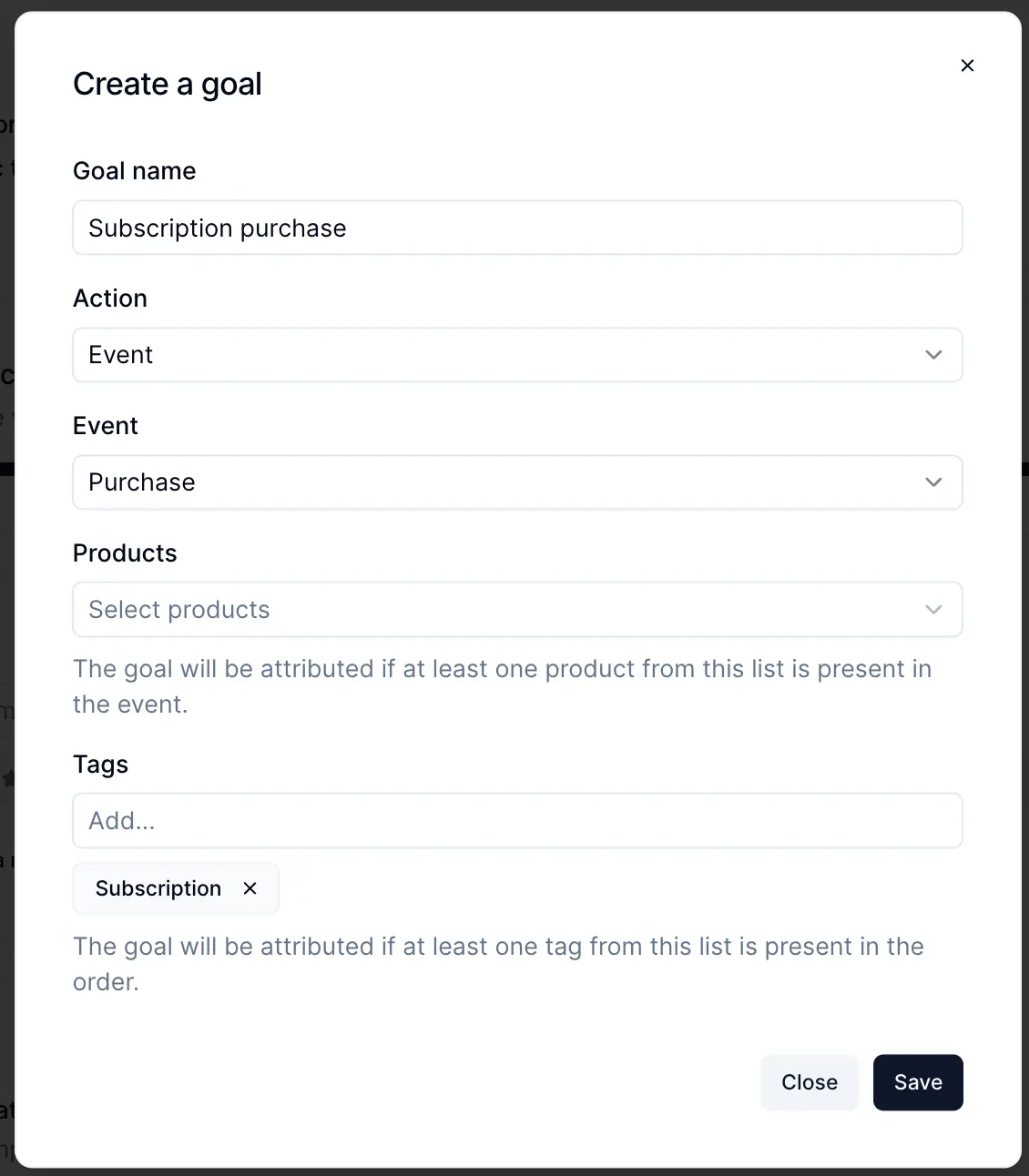
You can now created purchase goals based on tags that are assigned to an order in Shopify. This is helpful if you want to isolate subscription or bundle orders (or any other orders that are created by some third-party app and which are using tags for distinguishing them).

You can also enable order tagging by Personizely based on the campaign variation that the visitor saw prior to placing an order. This is helpful for isolating orders that are attributed to a specific variation directly in Shopify.

New feature

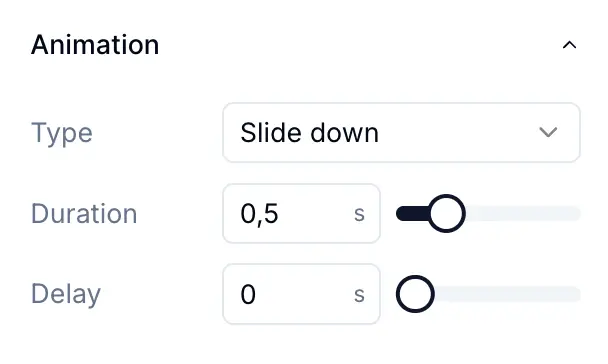
Widget element enter animations

Widget element enter animations

It's now possible to set up enter animation for widget elements to make them look more interactive as the widget appears and steps are switched. It's possible to configure both the delay and duration timing of the animation.

Another small improvement is the possibility to configure the animation duration for the widget's main enter animation.

January 2026

New feature

A/B Test Experiment Dashboard & Statistical Configuration

A/B Test Experiment Dashboard & Statistical Configuration

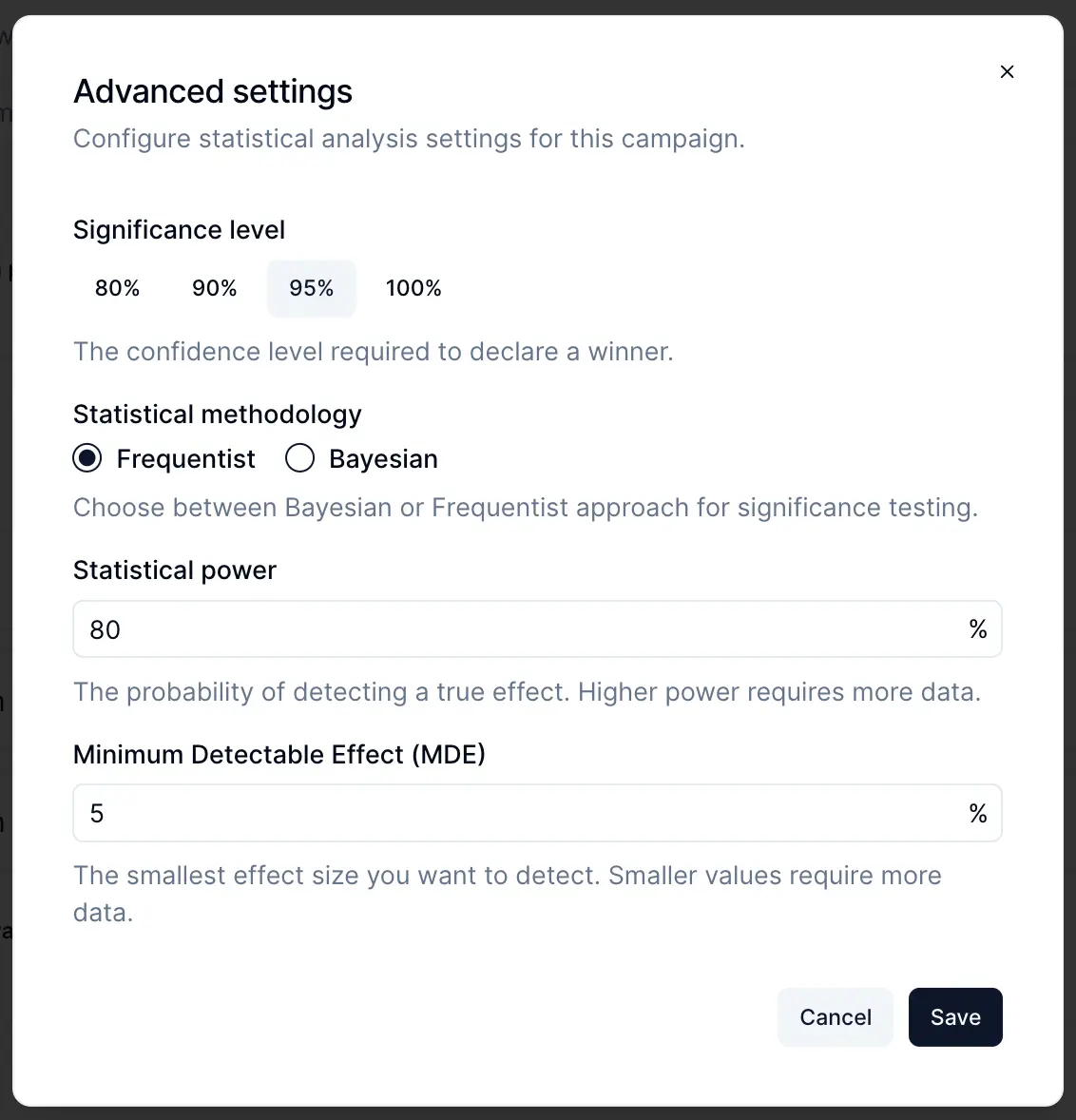
Take control of your experiments with new statistical settings and a dedicated progress view:

  • Experiment progress dashboard: See at a glance how much traffic has been collected, whether you have reached statistical significance, and if there is a winning variation
  • Configurable MDE (Minimum Detectable Effect): Set the smallest lift you want to be able to detect
  • Significance level: Choose your confidence threshold (80%, 90%, 95%, or 99%)
  • Statistical power: Configure how certain you want to be that you will not miss a real winner

No more guessing when to call an experiment - Personizely now tells you when you have enough data and whether you have a statistically significant winner.

New feature

Campaign-Level CSS & JavaScript

Campaign-Level CSS & JavaScript

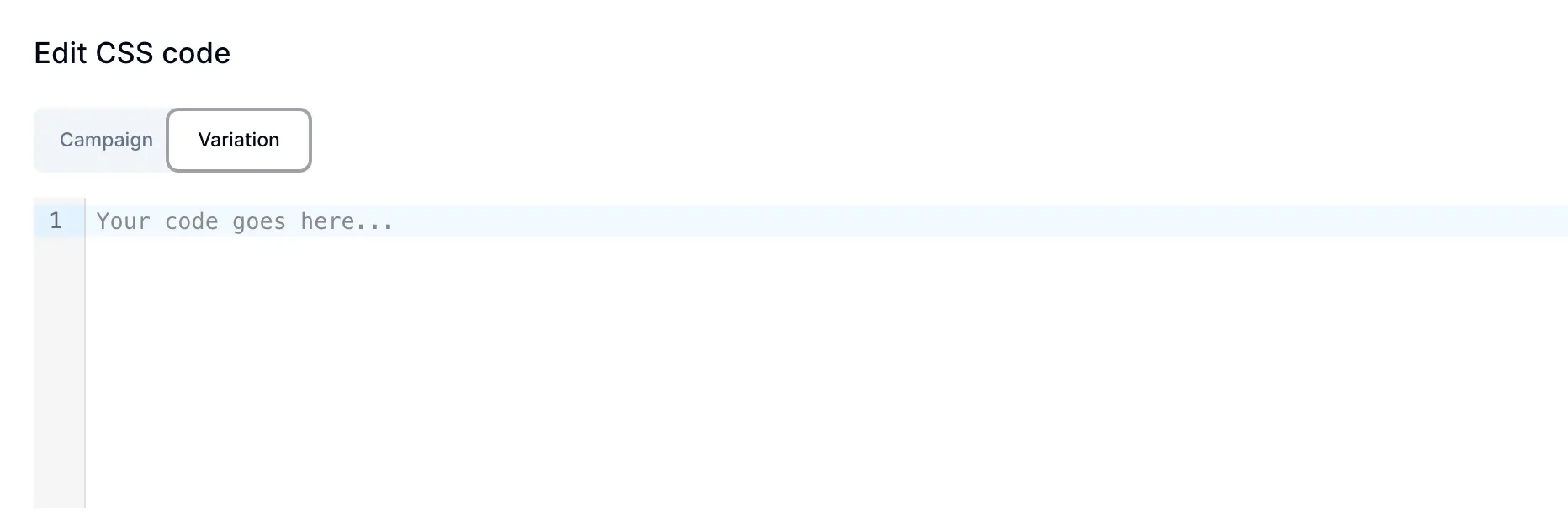
You can now add custom CSS and JavaScript at the campaign level, not just per variation. This is useful when you have code that should run across all variations (like tracking pixels or shared styles), while still being able to add variation-specific code when needed. Easily toggle between Campaign-level and Variation-level code in the editor.

New feature

Full-Screen Widget Templates

Full-Screen Widget Templates

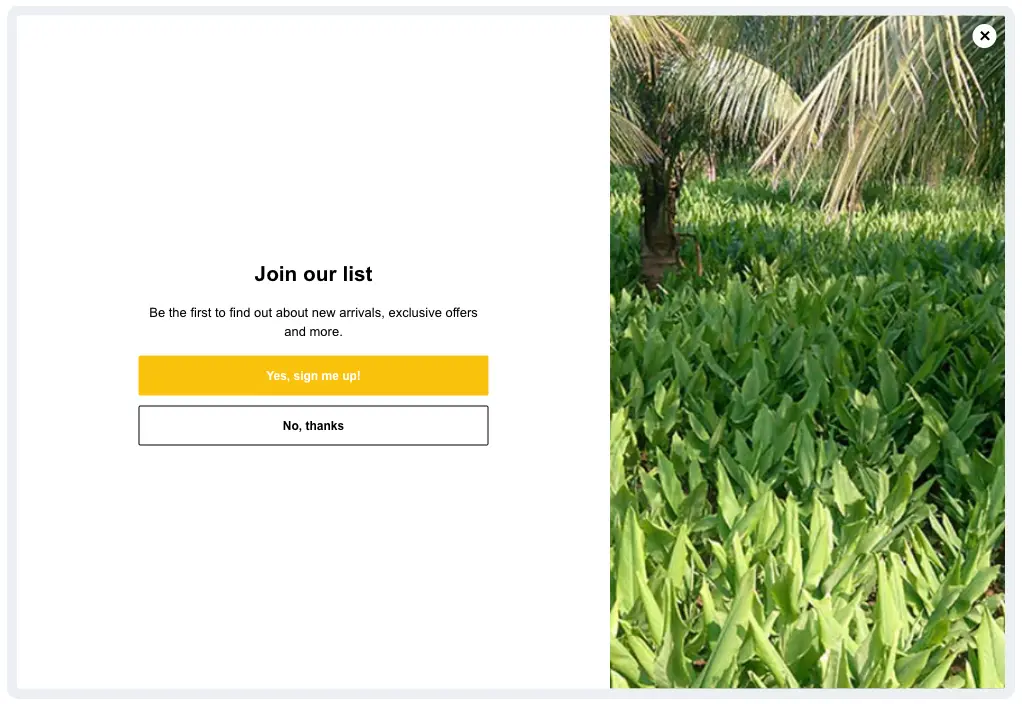
We have expanded our template library with new full-screen popup templates. These edge-to-edge designs maximize visual impact and work beautifully across all device sizes, perfect for high-priority offers, flash sales, or important announcements that demand attention.

New feature

Shopify CDN Image Upload

For Shopify stores, images uploaded in the widget builder are now stored directly on Shopify CDN instead of our servers. This means:

  • Faster image loading for your visitors (served from Shopify global edge network)
  • Automatic responsive images with proper breakpoints
  • Native Shopify image transformations (resize, crop, format optimization)
New feature

Smarter List Building Templates

Smarter List Building Templates

Our list building templates are now more powerful and conversion-focused:

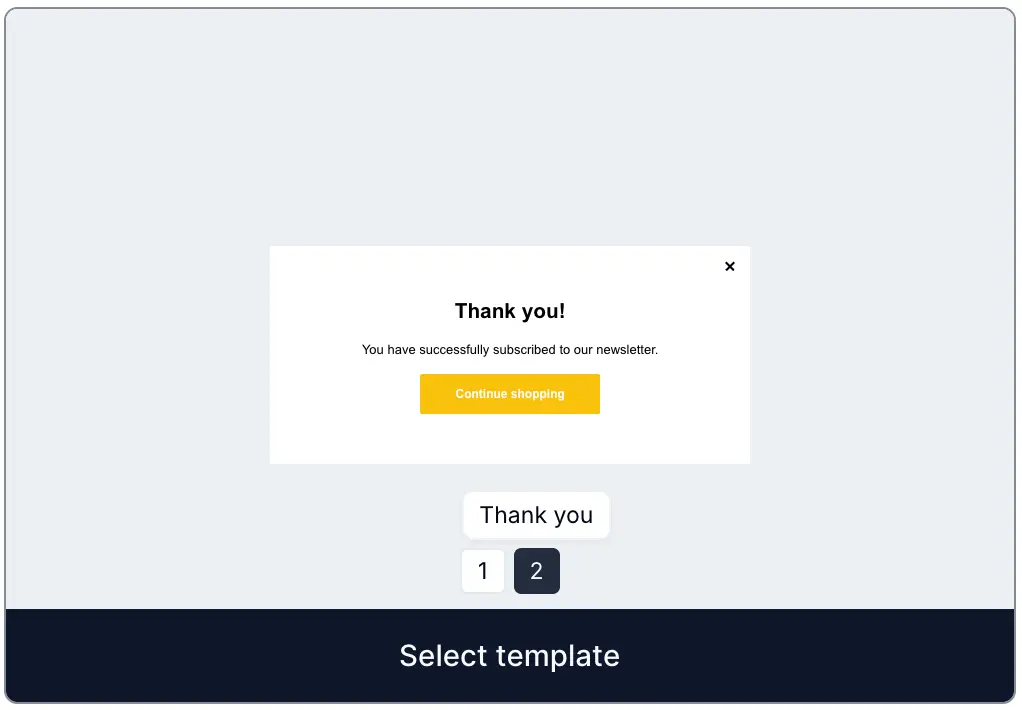
  • Thank you step included: Templates now come with a built-in confirmation step after form submission
  • Micro-commitment templates: New templates that ask a simple yes/no question before showing the signup form, warming up visitors and increasing form completion rates
  • Survey-first templates: Collect valuable customer insights before the email capture, enriching your subscriber data from day one
  • Custom field mapping for surveys: When using a survey template, you can now select an existing custom field or create a new one to store survey responses

It's also possible to switch between steps within the template preview card.