Improvement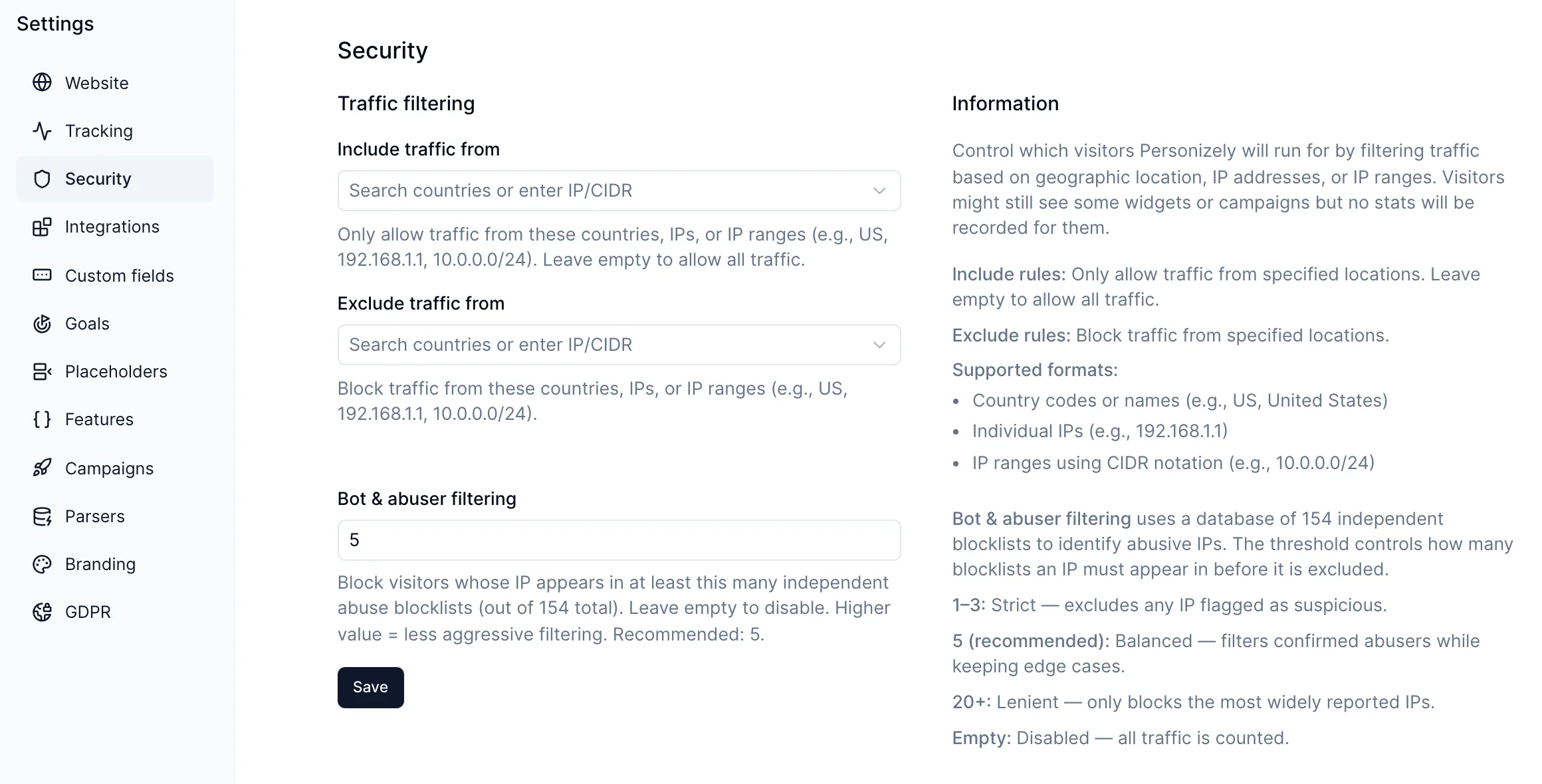
Filter out bots and abusive traffic automatically
You can now filter out visitors whose IP address is known for abuse, such as scrapers, click bots and spam networks, so they no longer count toward your visitors, conversion rates or experiment results.
How to turn it on
Go to Settings > Security and set Bot & abuser filtering to a number. A visitor is filtered out when their IP appears on at least that many independent abuse blocklists, out of 154 that we check.
- 1 to 3 is strict: any IP flagged as suspicious is excluded.
- 5 is the recommended starting point. It filters confirmed abusers while keeping edge cases.
- 20 or more is lenient and only filters the most widely reported addresses.
- Empty turns filtering off, which is the default.
Filtered visitors are not recorded in your stats. They might still see some widgets or campaigns.
This works alongside the country and IP rules in the same settings page, which let you allow or block specific traffic yourself.
Filtering applies from the moment you save; past data is not changed.