Personizelypersonizely.net

Personizely changelog

November 2023

New feature

Attentive integration

You can now sync the contacts collected via your Personizely widgets to Attentive. Attentive is one of the leading SMS marketing solutions for e-commerce brands.

Personizely is also available as an app in the Attentive Marketplace, here is the documentation for the app.

You can find the tutorial on how to connect the integration here.

August 2023

New feature

Clearbit and Albacross integrations

We have developed integrations with leading data enrichment platforms allowing you to identify anonymous visitors an your website and personalize it accordingly. You can use enriched data for both targeting and inside personalization placeholders.

New feature

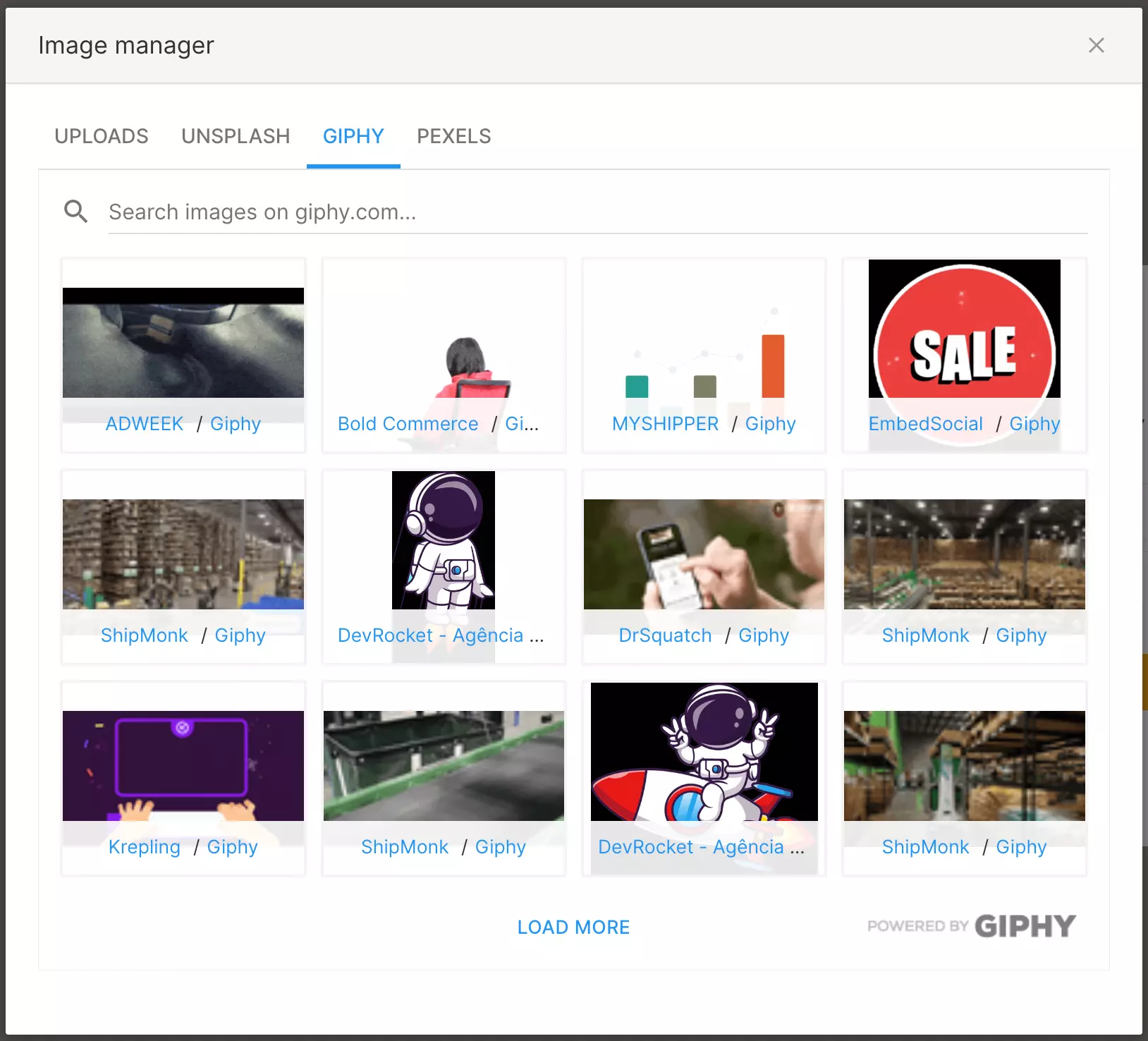
Giphy and Pexels

Giphy and Pexels

Giphy and Pexels were added to the image library options.

New feature

Partner program launched

We are excited to announce the launch of our Personizely Partner Program, which is a game-changing opportunity for you!

Why partner with us?

  1. Recurring income - Earn commissions by referring new clients.
  2. Dedicated partner success manager - Personalized guidance and expert assistance.
  3. Marketing materials - We help you to sell.
  4. White label - Customize our app with your branding.
  5. Roadmap access - You can see all upcoming features/integrations and improvements.
  6. Early access - Be the first to experience new features.

Ready to join? Visit our Partner Program page to enroll.

New feature

PreProduct integration

PreProduct integration

We have developed an integration with PreProduct.

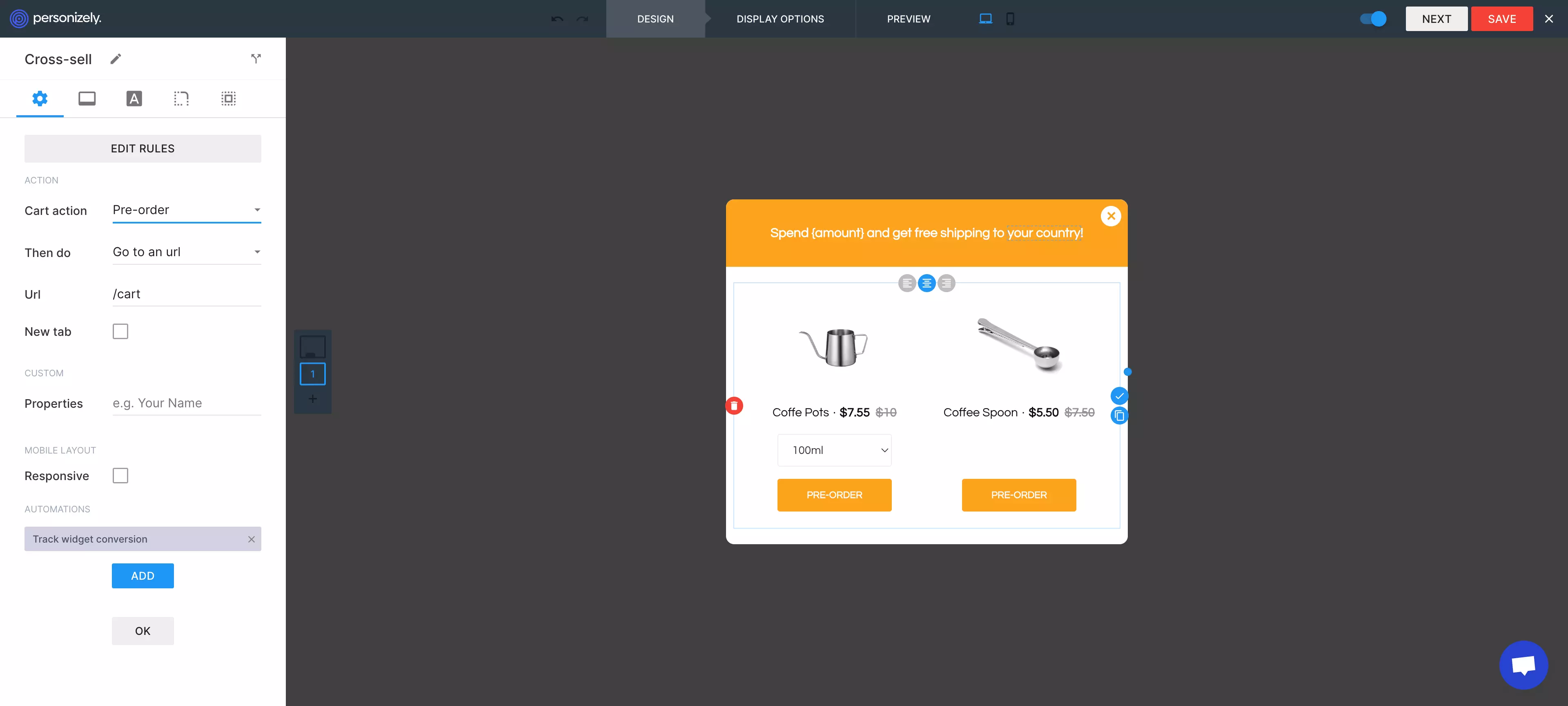
Preproduct offers a smarter way to launch products using smart pre-orders. The integration allows you to seamlessly integrate pre-order offers inside your Personizely widgets, as well as run widgets once a pre-ordered product is added to the cart.

New feature

Widgets positioning and mobile view improvements

Widgets positioning and mobile view improvements
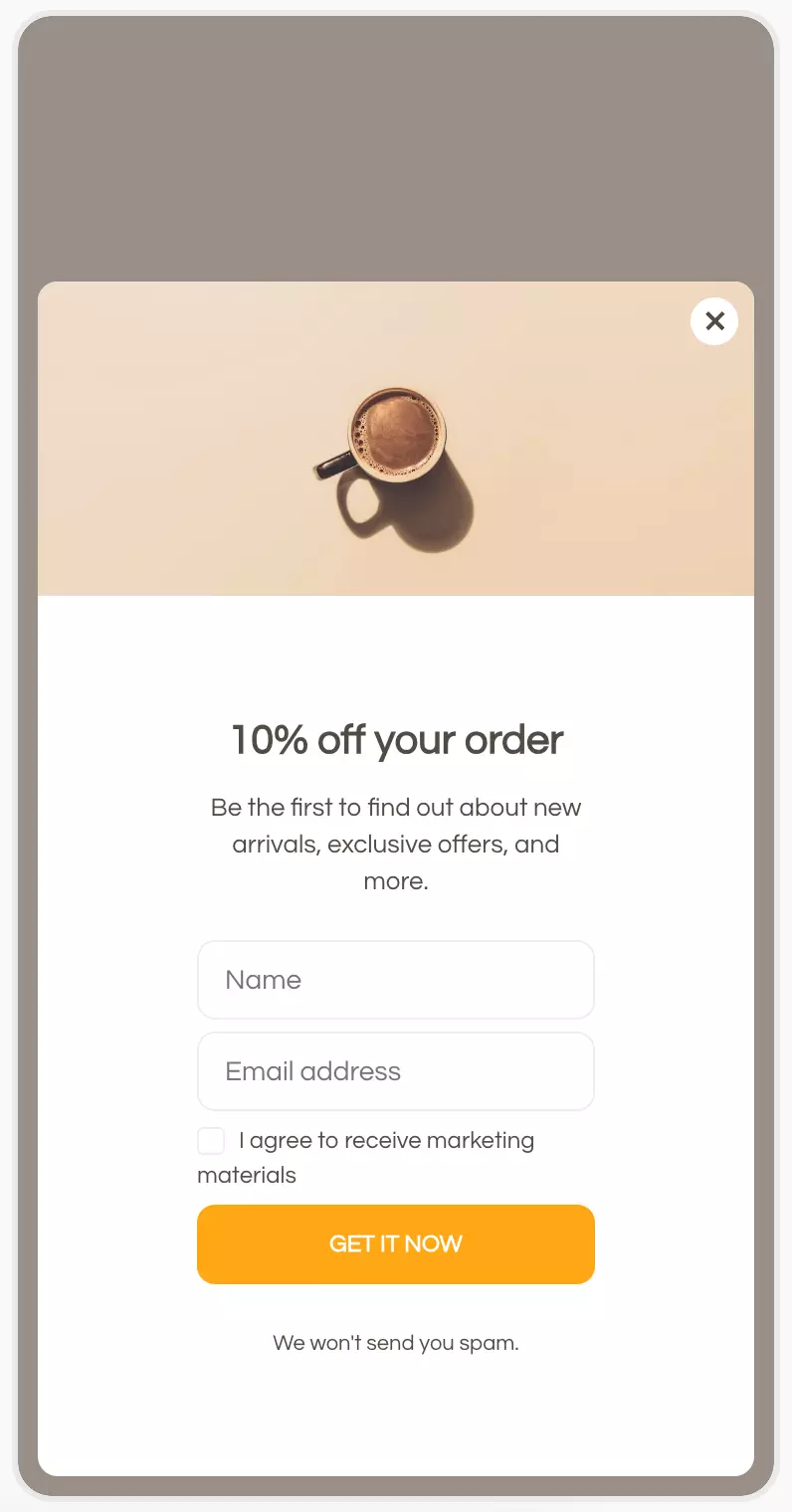
  1. The border-radius is now preserved in mobile view.
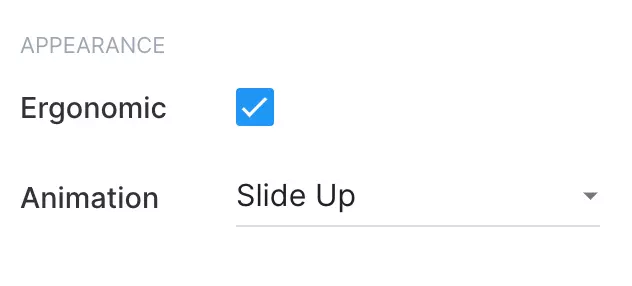
  2. You can now choose to disable the ergonomic positioning of the widget on mobile (whether it should appear at the bottom for better ergonomics.
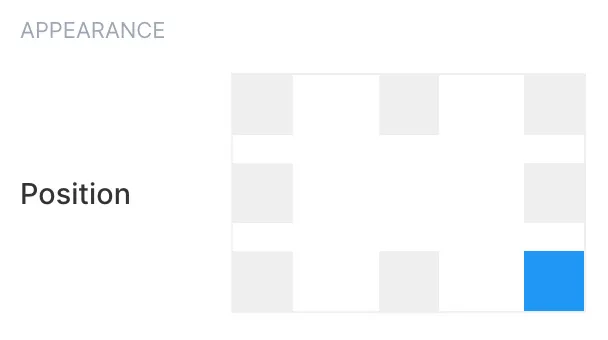
  3. Callout widgets can now be positioned in the middle/center positions as well.

April 2023

New feature

Shopify Markets support and reusable product rules

Shopify Markets support and reusable product rules

Personizely's cross-sell and upsell widgets now support Shopify Markets and will always display the products in the correct language, with prices being in the correct currency.

With this change we have also added support for inventory tracking - now the unavailable products/variants will have a disabled button so that visitors won't be able to add them to the cart or you can just configure for the unavailable variants to be excluded altogether.

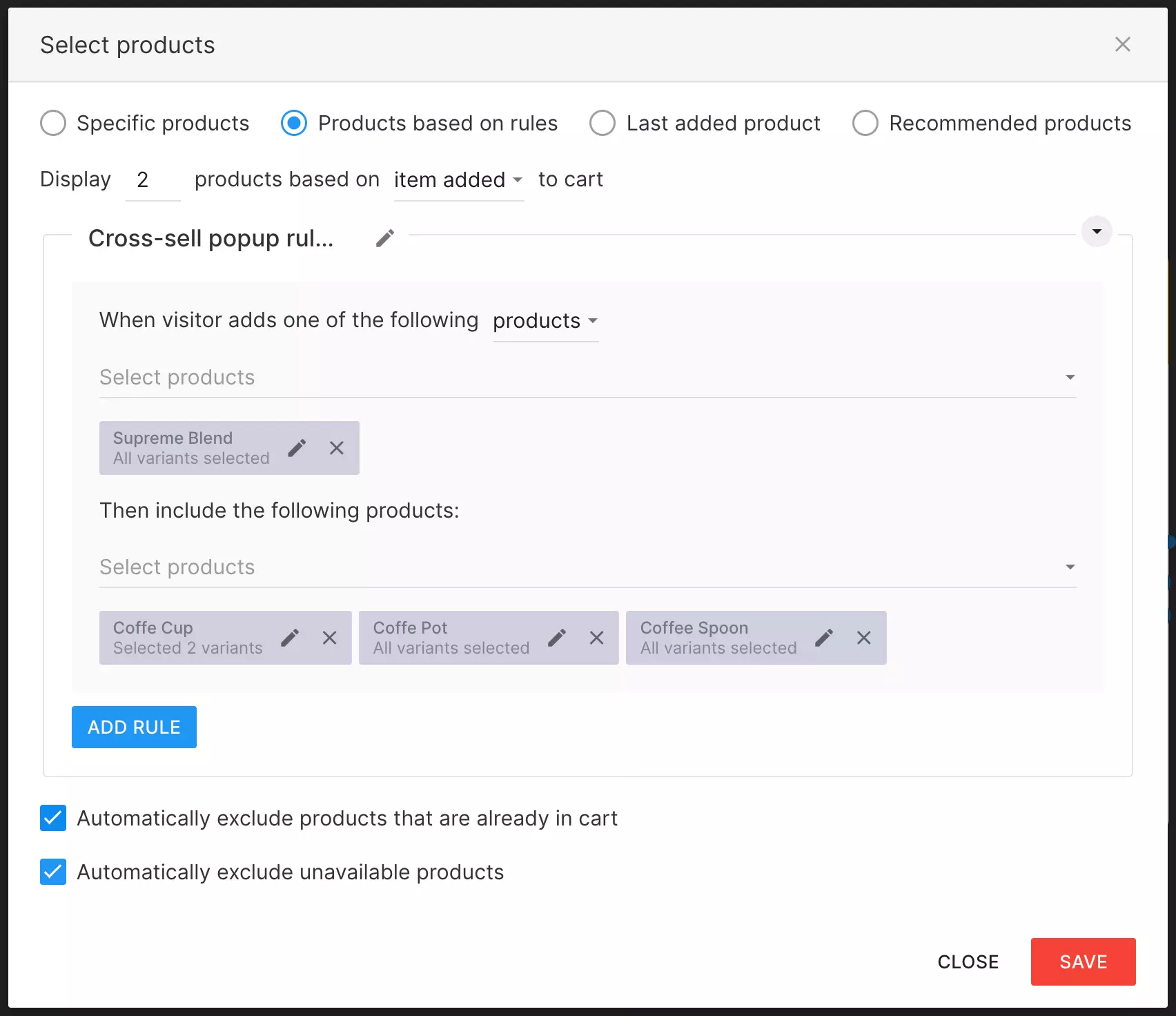
Another quality-of-life improvement that has arrived with this release is the ability to reuse product rules - you can now use the same product rules in several places by creating a rule set and reusing it across widgets.

New feature

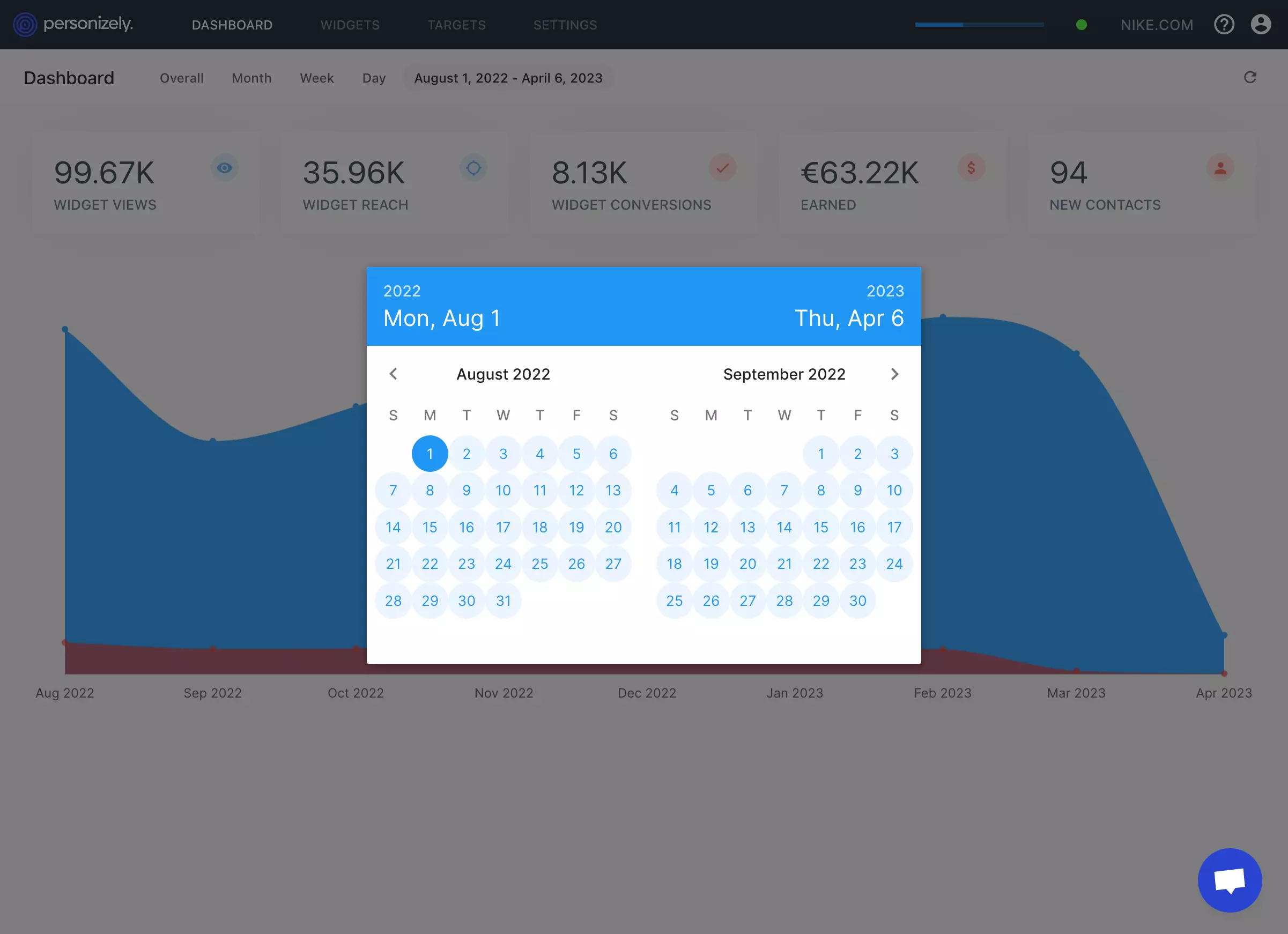
Custom date rage for the dashboard and reports

Custom date rage for the dashboard and reports

You can finally select a custom date range for your analytics and reports. This will give you a more granular view of your data and campaign performance. It's all part of our continuous work of bringing better data analytics and insights into the platform.

March 2023

Improvement

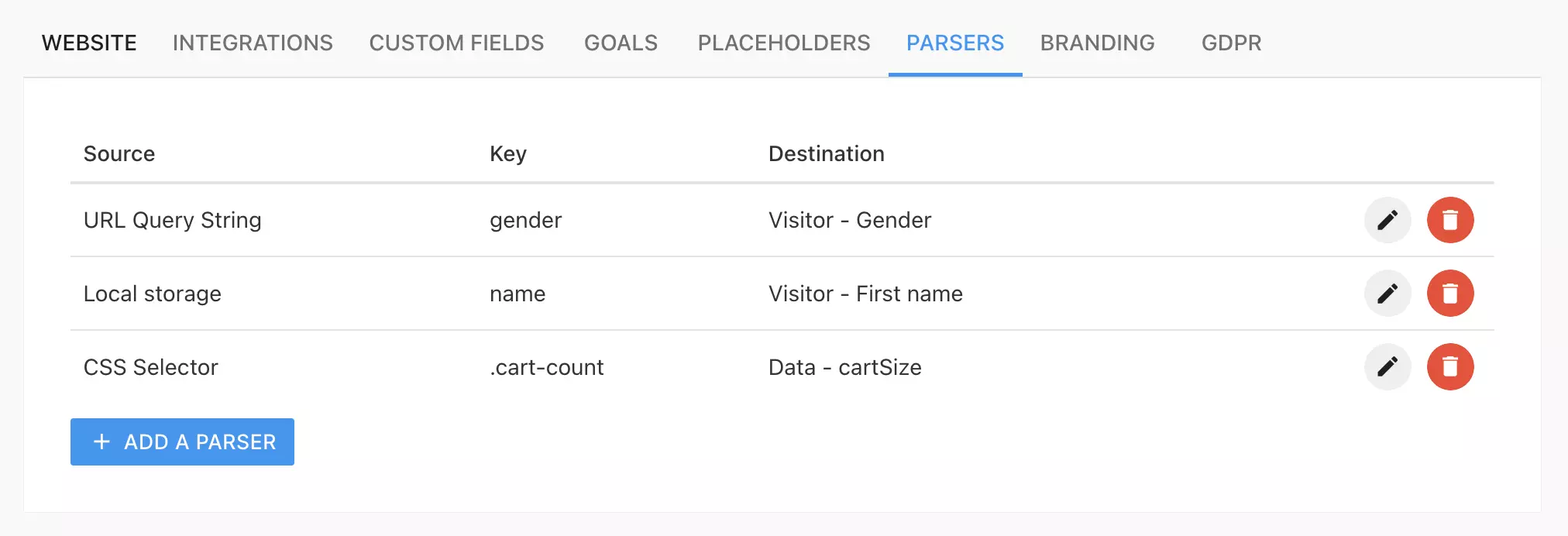
Parsers and the Data Parser Engine

Parsers and the Data Parser Engine

We're excited to announce data parsers. Data parsers are an extremely easy and robust way to parse data from your website to use in Personizely for targeting and personalization. Data parsers can parse data from 5 sources:

  1. Browser Local Storage - takes the value from the visitor's browser local storage and is the equivalent of calling localStorage.getItem(key)
  2. URL Query String - takes the value from the visitor's URL address. Example: https://site.com?name=Jim, where Jim can be parsed by using name as the source key.
  3. Cookies - takes the value from the visitor's cookies where the cookie name is the source key.
  4. CSS Selector - parses the inner text from an element from the page where the source key is a valid CSS selector used to find that element. Is the equivalent of calling document.querySelector(key).innerText.
  5. JS Variable - parses the value from a JS variable that should be available in the global context where the source key is the variable name (can also use don notation for accessing deeper nested values).

To learn more about data parsers please consult our docs.

New feature

Website data

We are excited to announce a new way to store data that can be used for targeting and personalization. Website data is an ephemeral store that remembers the data for the whole duration of the session and it can be updated in several ways including:

  1. The client SDK (ply.setData)
  2. A pre-set JS variable (window.plyData)
  3. A data parser [soon]

This is a great new way to pass non-personal data to Personizely which gives you maximum flexibility and is really fast because it is not stored on the server but just in the visitor's session storage.

February 2023

New feature

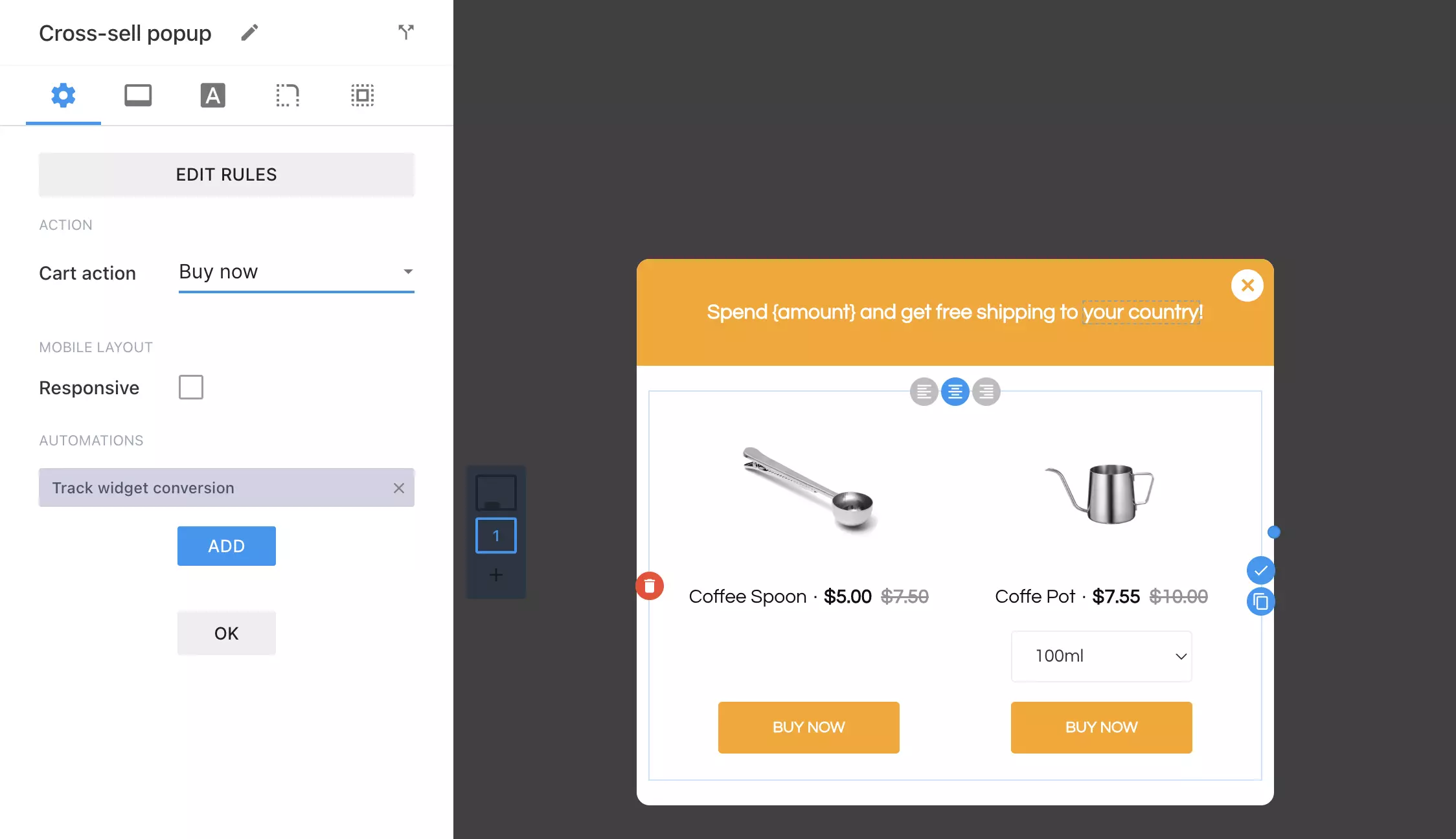
Product Elements can now Redirect to Buy Now Link

Product Elements can now Redirect to Buy Now Link

We are excited to announce a new update that enables you to set your product elements to redirect to a buy now link on click. This update is part of our ongoing efforts to enhance your experience and provide you with more control over the product elements in your cross-sell and upsell widgets.

January 2023

New feature

Custom checkbox input design

Custom checkbox input design

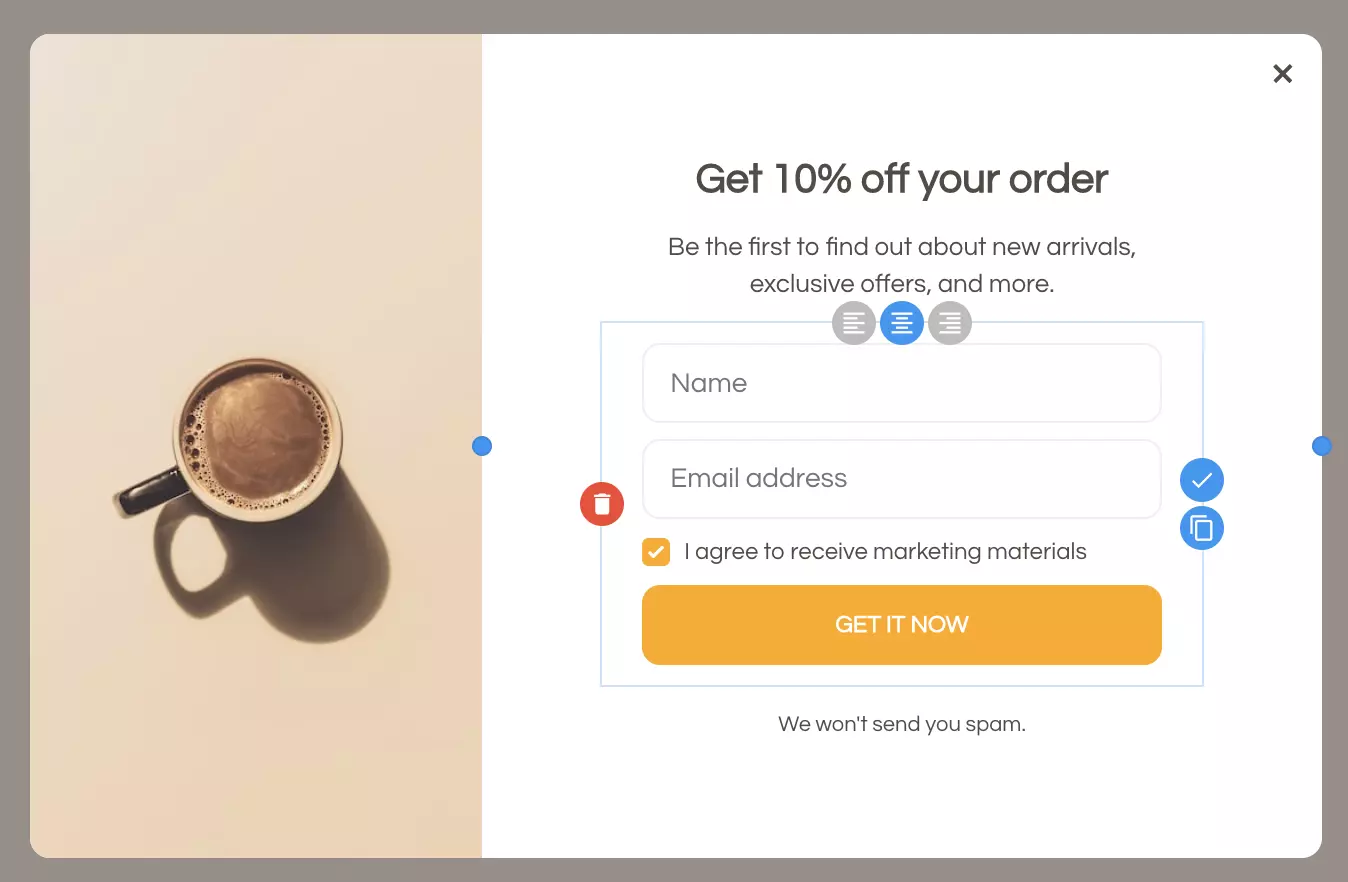
All widget forms now have a custom checkbox design where the accent color and the border-radius and color are configurable so that your popups get a much fresher look while also being able to make them look compatible will your overall design.

November 2022

New feature

Custom events

Custom events

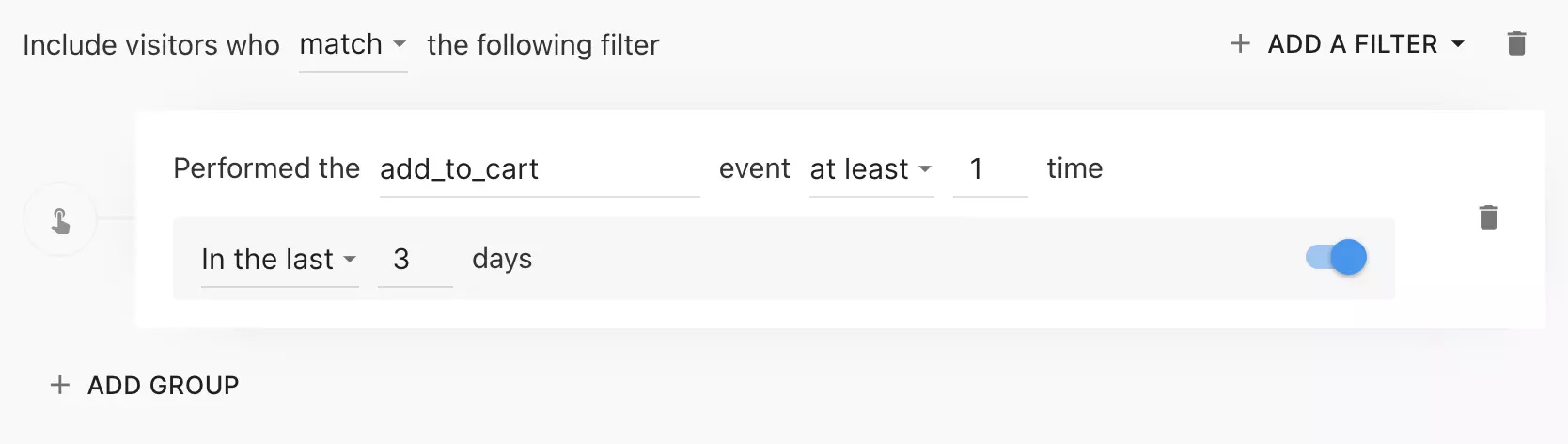
You can now track custom events happening on your site using our new SDK method ply.trackEvent. Custom events usually include add-to-cart events, button clicks, or form submissions that you might want to use for future targeting in Personizely as you can later target your visitors by them to only show (or never show) widgets and campaigns to visitors who performed these events.

You can find out more about custom events on our docs page.

New feature

Personalized recommendations [Shopify]

We are excited to announce the latest update to our widgets for Shopify customers! With this new release, we've introduced personalized recommendations inside Personizely widgets, ensuring that your customers receive the most relevant and accurate product suggestions.

Why We Made This Change?

Personalized recommendations based on customer behavior and preferences have become essential in today's highly competitive e-commerce landscape. By providing personalized product recommendations, businesses can increase customer engagement and satisfaction while boosting sales.

However, until now, our customers had to solely rely on manually configured rules when providing cross-sells and product recommendations.

To address this issue, we have integrated Shopify's recommendation engine directly into Personizely's widgets. This means that merchants can now offer highly relevant product suggestions without having to necessarily rely on a manual setup.

What Happens Now?

Merchants who use our cross-sell widget in their Shopify store can take advantage of this new feature by updating the configuration of the product element inside the widget builder. Once enabled, the widget will automatically display personalized recommendations based on each customer's browsing and purchase history.

You can find out more about Shopify product recommendations on their site: https://shopify.dev/docs/themes/product-merchandising/recommendations

August 2022

New feature

A/B Testing and Experimentation campaigns

A/B Testing and Experimentation campaigns

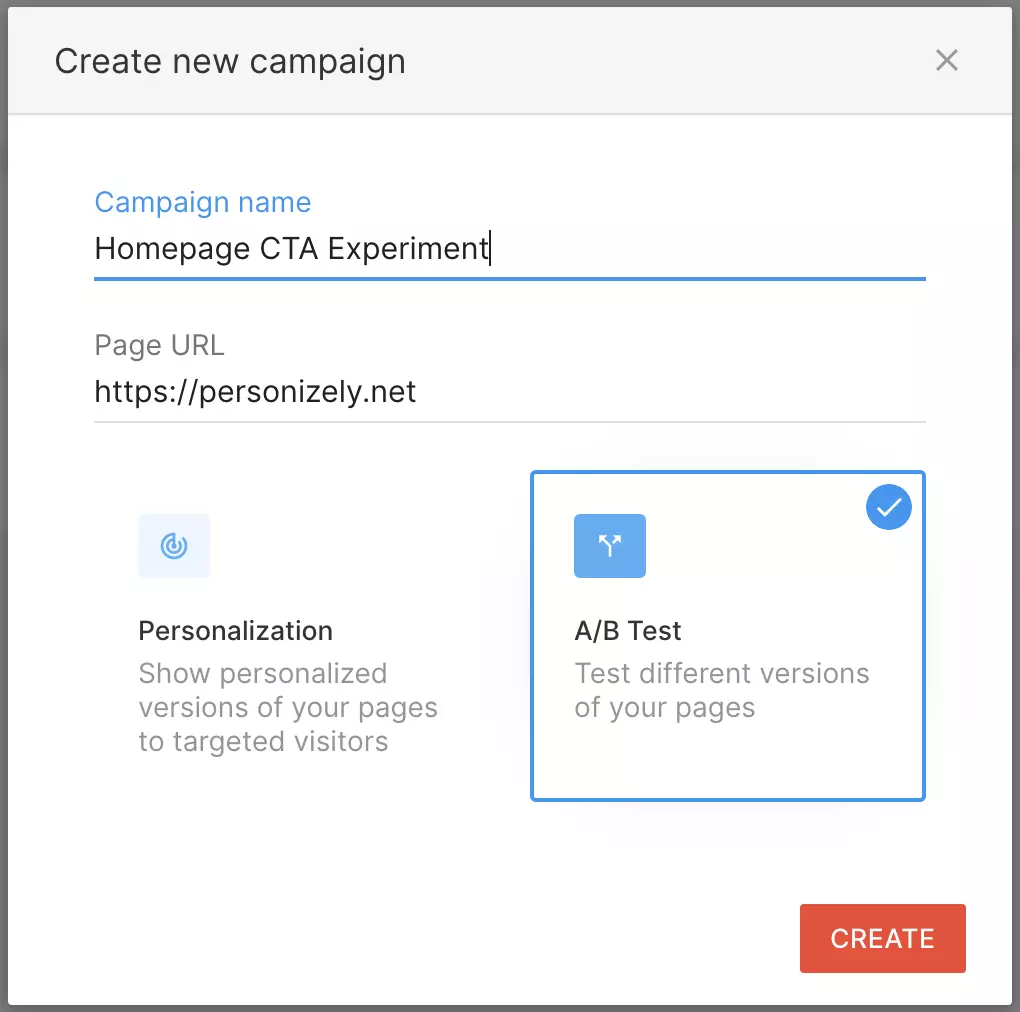
A new campaign type has finally landed in Personizely. Prior to today, you could only launch one type of campaign on your website - the personalization campaign. It allowed you to show different variations of your pages to different target audiences or include personalization replacements for all of your visitors. You had the ability to A/B test the impact of your personalizations but you did not have the possibility to create a classical A/B/n testing campaign where you could test a variation or several of your page(s).

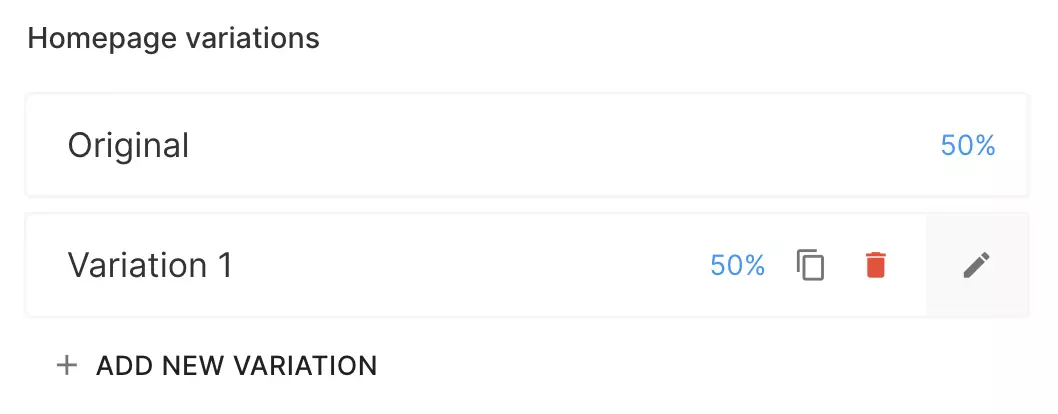
Today we are introducing the A/B Testing (or Experiment) campaign type which allows you to create campaigns with several page variations so you can compare their performance against the original version of your pages. You still have the power of our visual editor to make adjustments to your website (which also was revamped and improved) but in a new context. You can use goals to track your campaign performance and targeting to only run the campaign for a specific audience. Here you also get the power of analytics to track the performance of your experiments as well as the statistical significance of your improvements.

Besides the A/B testing campaign type, we have also worked on our editor to make it even more robust when it comes to implementing changes on your website. Here's what was done:

  1. The new "Interaction" mode - allows you to disable the editor so you can interact with the website, close popups, or show hidden elements.
  2. The "Find element" button - allows you to find an element on the page using a CSS selector. Works very well if you have hidden elements that you want to show or if you have issues locating the element visually inside a page.
  3. Tons of bug fixes and improvements to make sure the editor works well with different platforms and website structures.

Let us know what you think about the new A/B testing engine and the revamped engine!

Contact us if you need any help setting up your first A/B test and we'll be happy to help you.

Improvement

Dynamic product layout in widgets [Shopify]

Dynamic product layout in widgets [Shopify]

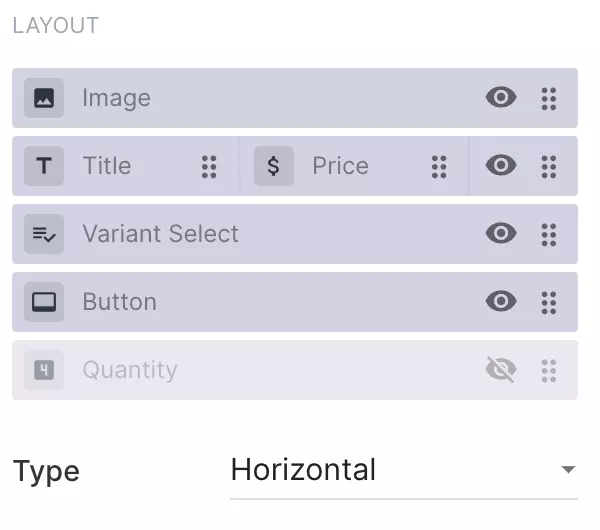
You now have much more control over the product element layout inside your widgets. Previously you were locked into the rigid layout with pre-made elements that were available for you. From now on you'll not only be able to choose from 3 layouts (vertical, horizontal, 2 columns) but also show/hide and reorder elements like price and image within the layout. This gives you amazing flexibility in how you can structure your upsell and cross-sell offers so that they fit the use case.

Need to hide the price? Easy! Need to hide the variant selector? Easy! Need to fit more products in a widget? Just use the horizontal layout! Need to show the title over the image - just drag and drop it to the beginning of the list!

Let us know what you think of the new layout options!

New feature

Specific product variants selector [Shopify]

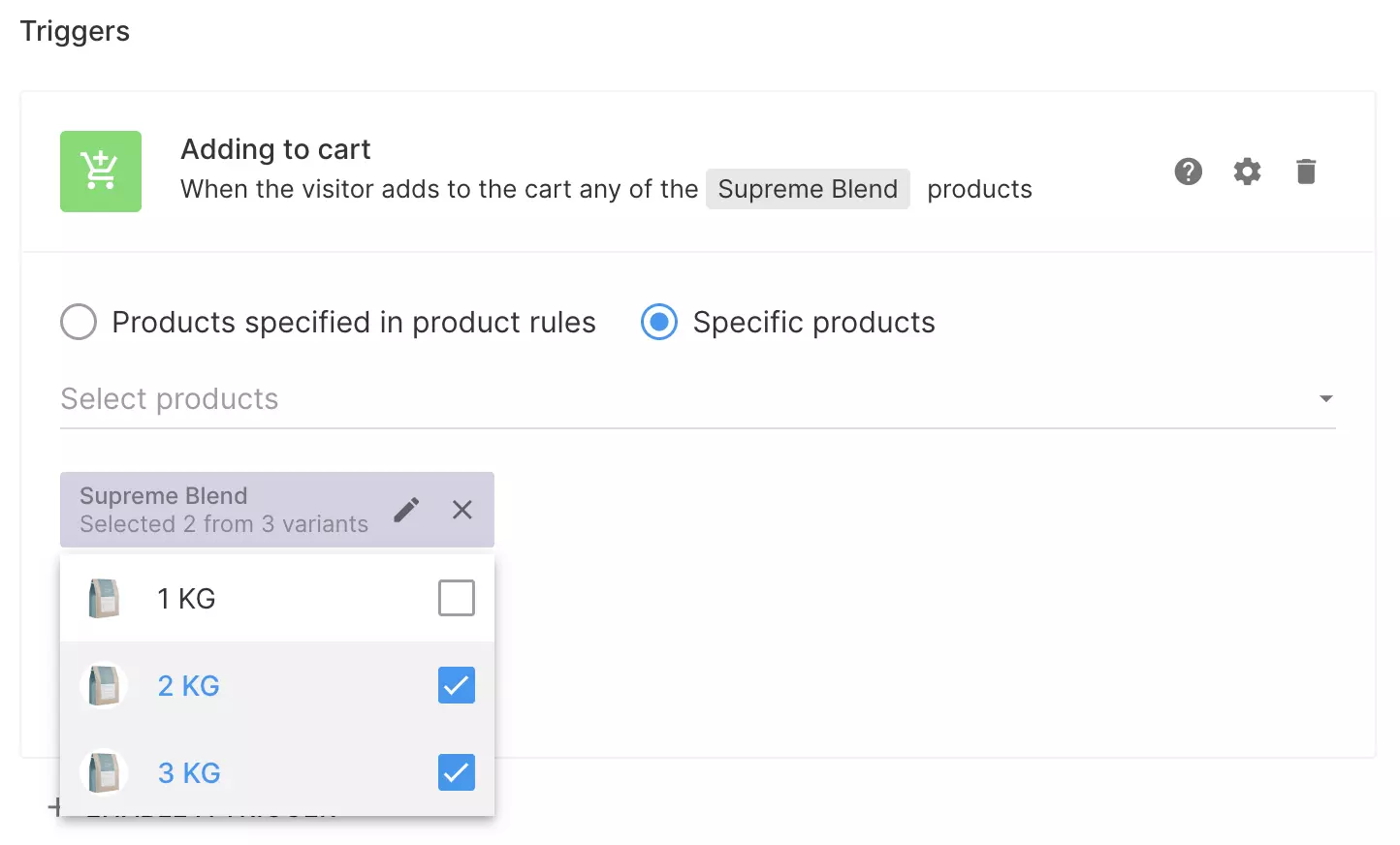
You can now select specific variants when setting up your widget's Cart add trigger or Cross/Upsell rules. This allows you to create complex cross-sell scenarios as well as limit your widget to show up only for certain product variants. You can as well choose a specific set of variants to show inside the widget's product elements so that the visitors can only see and add them to the cart from within a widget. Have a specific offer where you only want to upsell to a specific variant? Have an offer that should only be triggered by the cheapest variant of the product? This is the exact solution for you!

June 2022

Improvement

Widget theming, dynamic templates and much more

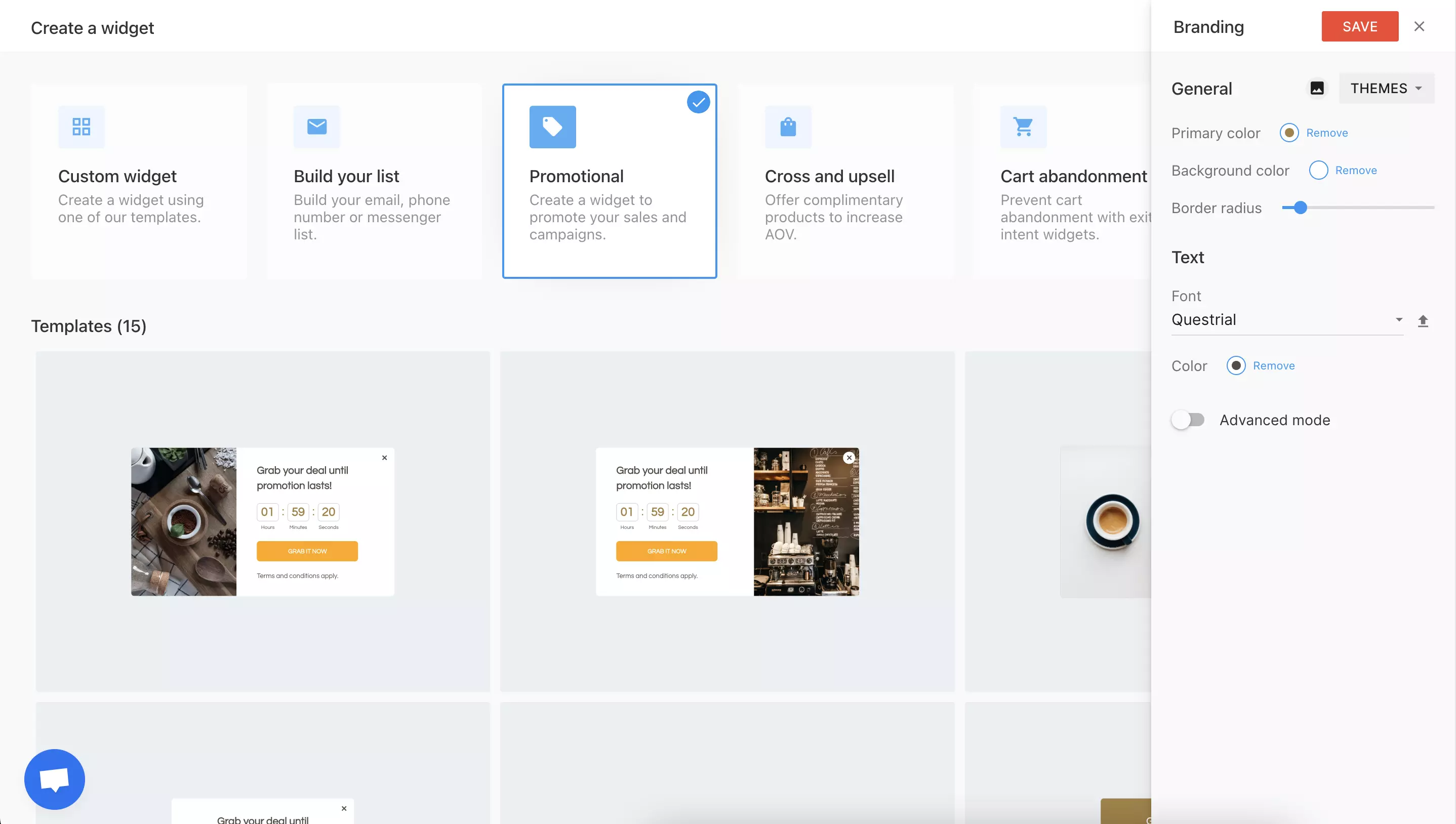
In this release we are consolidating the power of our widget builder and branding by offering you the power of theming and presenting the theme editor. From now on you can configure all of your brand colors, fonts and other parameters before creating your widgets. All of your newly created widgets are then going to be on brand right from the start, without the need of additional styling adjustments. You can either set your own branding parameters or use one of our prebuilt themes, with built-in fonts, colors and images.

With this change we have totally rebuilt our templates to offer you up to 100 different widget structures for various use cases. The new templates should be a great base for all of the new widgets you want to create. New templates include the following use cases:

  • Announcements
  • Surveys
  • NPS Score Survey
  • Promo Bars

Another big thing in this release are the widget wizards. Widget wizards help you create widgets by asking you questions and generating the widget exactly as you need it. With the new improvements the template previews will now show you the exact version of the widget that you configured. Beside this - the wizards now have a new look and an improved flow which should help you launch new widgets in even less time.
Improved widget analytics

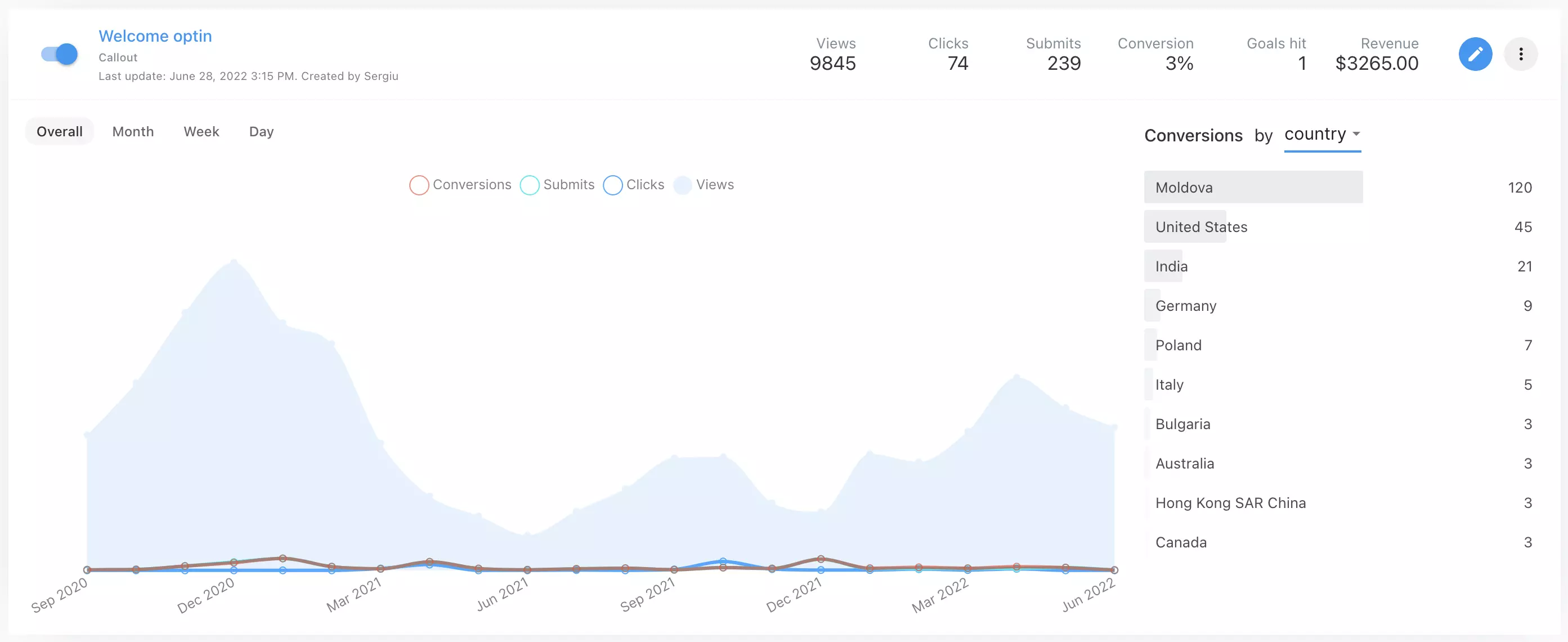
In this release we have also added more flexibility to your widget analytics. Analytics is an area we want to improve a lot in the future and this is the first step in that direction. With this change you can now see conversions by larger set of criteria than just the conversion page which was previously available, including:

  • The trigger (if you widget has more than one)
  • Device
  • UTM Campaign
  • UTM Source
  • Country

Also, along with this release we are adding a new tab to the widget analytics for tracking widget survey answers. The survey feature was not complete until we had the possibility to show you a breakdown of you visitors' answers which we do now.