Personizelypersonizely.net

Personizely changelog

September 2025

New feature

plyLayer API queue

Introducing plyLayer, our new way to call Personizely JS API methods even before the script is loaded.

This ensures more reliable integration and eliminates race conditions, especially for fast-loading SPA environments or third-party script managers.

Example usage:

window.plyLayer = window.plyLayer || [];
window.plyLayer.push(['trackGoal', 'signup']);
New feature

Regex URL matching for campaigns

Regex URL matching for campaigns

You can now use regular expressions to match pages, giving you more powerful control over which URLs are included in your campaigns.

Even better — regex match groups can now be reused as dynamic replacement values in your URL split tests, unlocking sophisticated use cases like pattern-based redirects or custom variant logic.

New feature

Template Experiments

You can now run A/B tests between two different Shopify theme templates. This makes it easy to experiment with layout or design changes that span entire templates, like switching from a product-focused layout to a lifestyle one. Results are tracked natively, with no need for custom scripts or redirects.

June 2025

New feature

Better widget and campaign preview

Good news! You don't need to have a campaign or widget running or scheduled to run a preview. Even if you have only one widget/campaign that is in draft mode, you can still preview it on your live site.

New feature

New analytics integrations

New analytics integrations

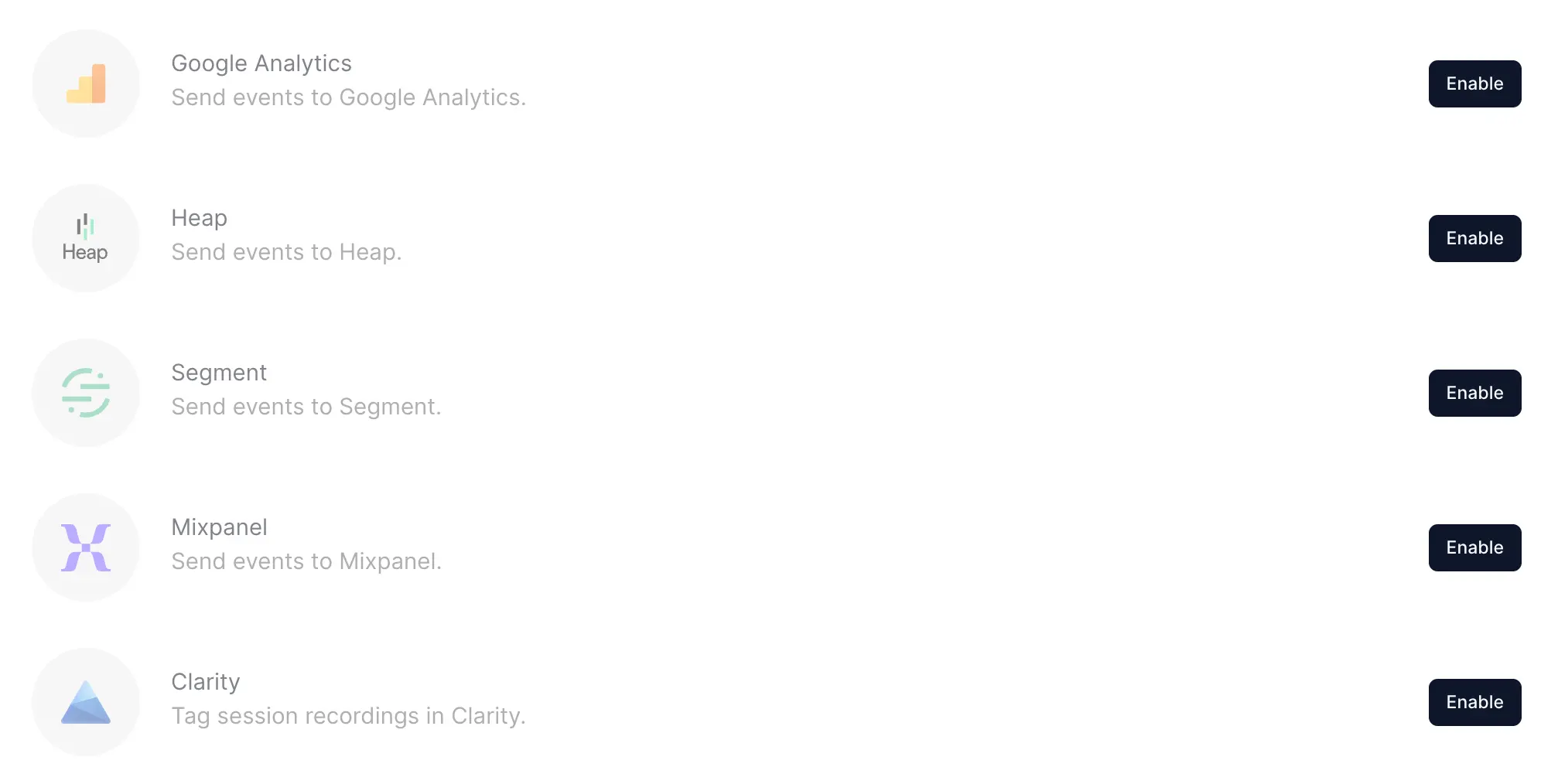
We've added 4 new analytical integrations, which allow you to send Personizely events to Mixpanel and Heap for analytics, as well as to Microsoft Clarity for tagging session replays and Segment so that they can be relayed to other systems you have integrated in there.

If you have suggestions for any other integrations, let us know!

May 2025

New feature

Widget a/b testing control group and view-based attribution

Several exciting changes were released for widget analytics.

Control group in widget experiments

You can now toggle on a control group for your experiments. This allows testing the performance in terms of goal hits and revenue for both visitors who see a widget and those who don't.

View-based widget attribution

You can now configure the widget to attribute goal hits (or purchases) to widgets based on a view, instead of needing the user to perform a conversion event on it.
This will help you analyze the impact your uninteractive widgets, like promo bars, have on your revenue and will also give more flexibility when running experiments.

April 2025

New feature

A/B Testing improvements: better analytics and new campaign type

Confidence intervals

We have a column for the a/b testing analytics report - Confidence intervals. This should help you make better decisions and understand the impact of your a/b tests better.

Hypothesis field

We've added a hypothesis field, which you can use to describe your hypothesis for each test for future reference.

Full-stack/API experiments and feature flags

You can now create a/b tests that can be run directly in your code using a new full-stack type of experiment. Use our JS API to run the experiment and pull parameters assigned to each variation to experiment with your UI components and other complex scenarios.

Go to our JS API docs page to learn more about how to use them: https://docs.personizely.net/js-api

New feature

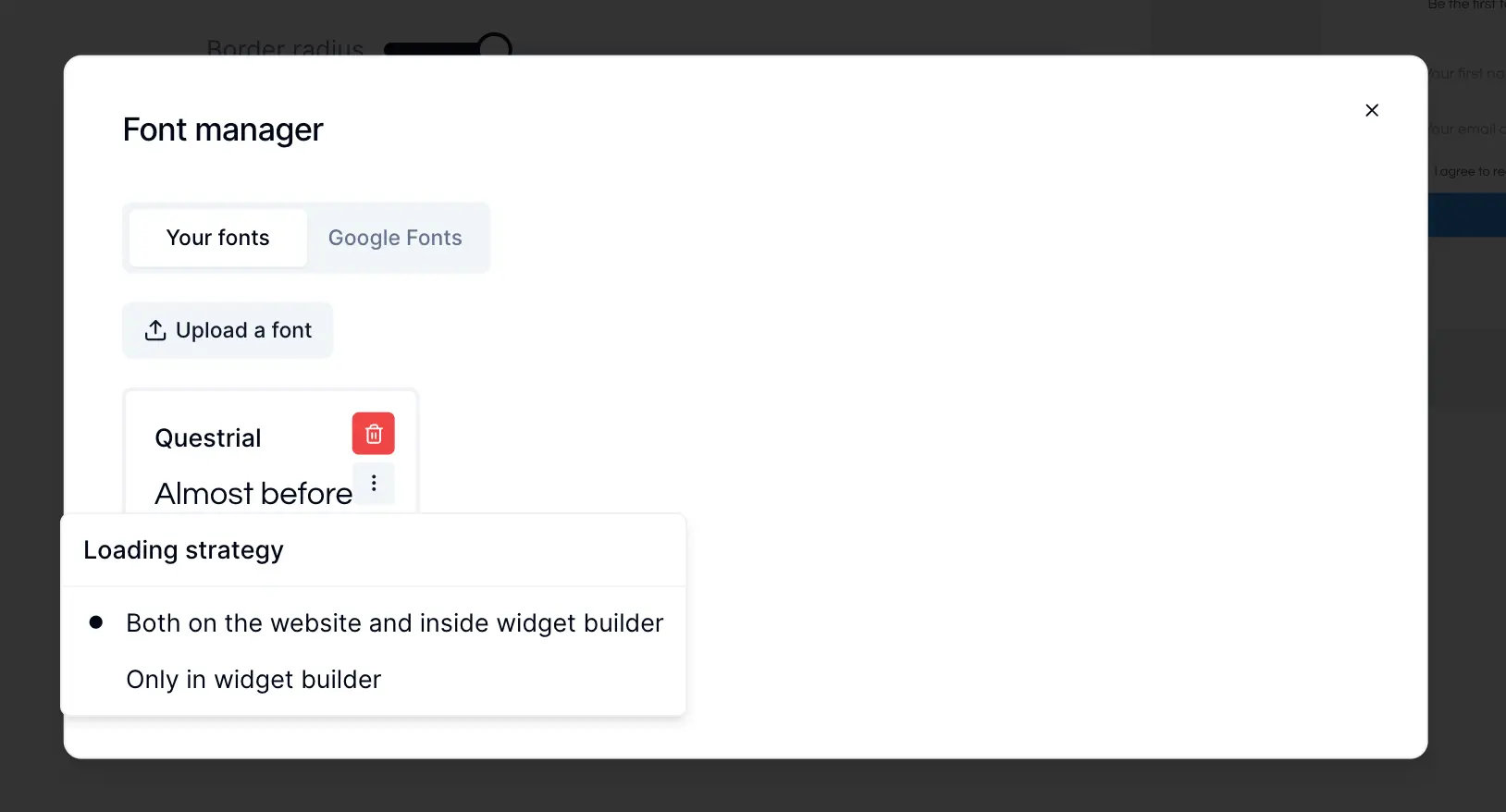
Font loading strategy setting

Font loading strategy setting

You can now choose not to load fonts that you already have on your website, so they're not loaded twice, which can impact page speed. Make sure that the fonts you configure to only be loaded in the builder are 100% present on your website and have the same name.

Improvement

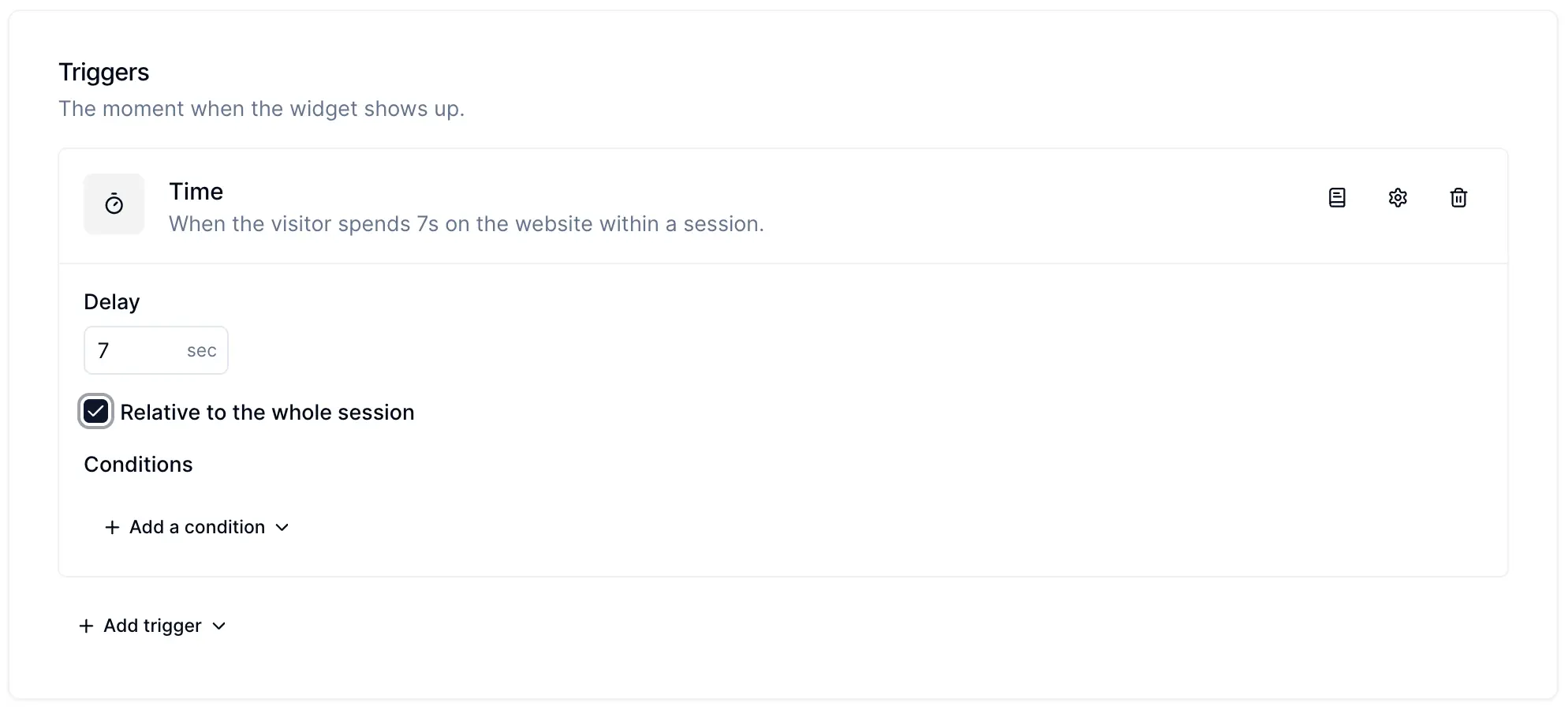
Time trigger enhancement

Time trigger enhancement

A little neat enhancement arrived for the time trigger. Now you can choose a time trigger to fire a widget based on the duration of the whole session, whereas previously it was based on the time spent in a single pageview. By default this option will remain unchecked on all current widgets.

March 2025

Improvement

Product price experimentation and enhanced profit analytics

Product price experimentation and enhanced profit analytics

At Personizely we've always strived to build products that impact our customer's bottom line. At various stages we've built products that helped with opt-in conversion rate (list building widgets), checkout conversion rate (cart abandonment widgets), average order value (cross-sell widgets), and revenue (a/b testing, personalization, and offer widgets).

Today we are stepping into a new era - profit optimization, because in the end what any business business really cares about in the end is the profit, and it's the highest potential impact lever a business can pull to completely change its trajectory.

That's why today we are announcing a set of tools oriented to help you pull these levers.

Product pricing experiments (Shopify Plus only)

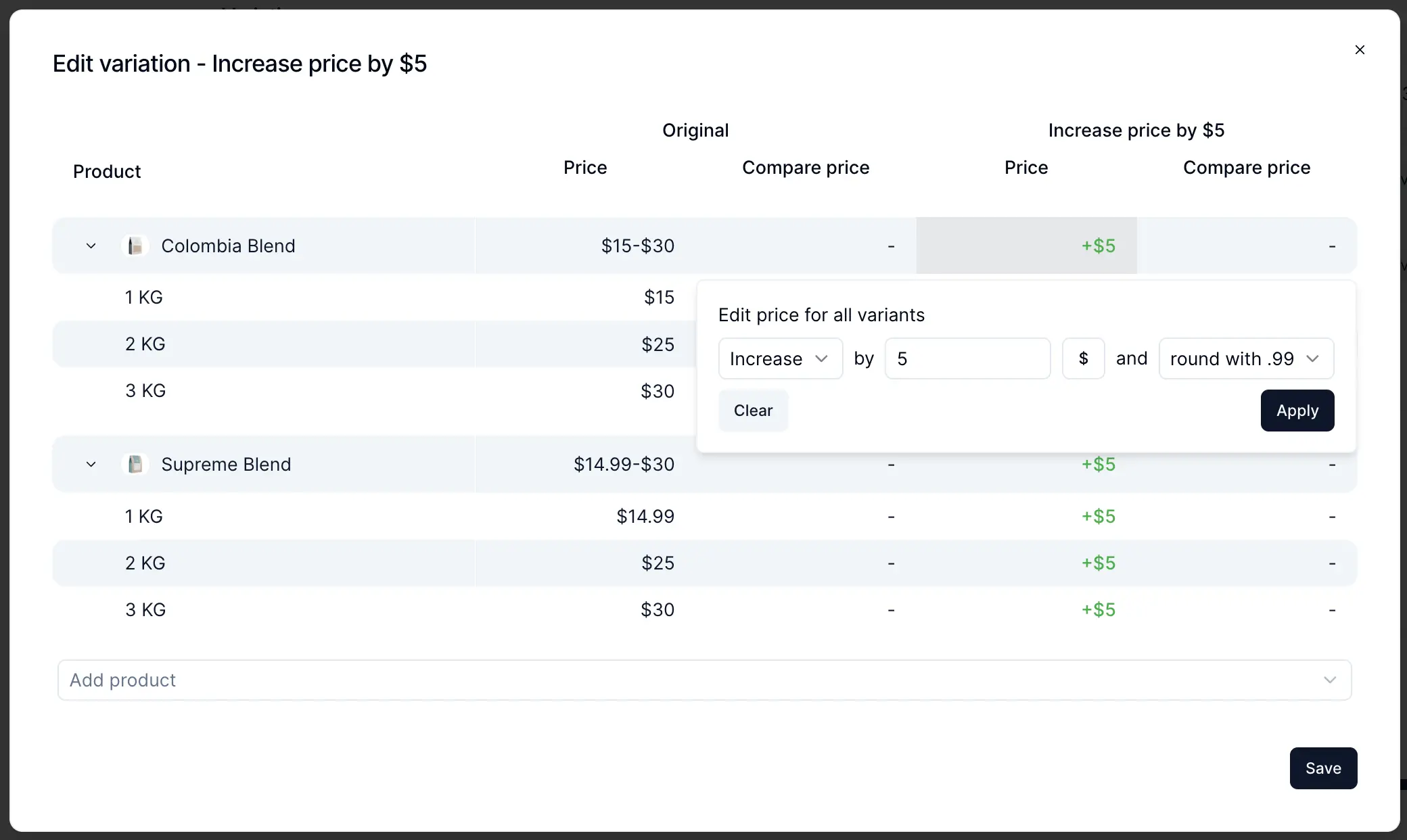
A new type of campaign landed in Personizely enabling you to create product pricing experiments that run smoothly in both your storefront and the checkout. Price adjustments can work on both product and variant levels, and you can set up dynamic adjustments based on the product's existing prices.

How it works

Personizely uses preconfigured selectors to adjust the prices dynamically in the storefront, without any flicker (thanks to our leading technology). For cart and checkout, Personizely uses cart transform functions (sadly only available for Shopify Plus now) which allow seamless price adjustments at any level.

Head to our docs to learn more about how it works and how to configure it - docs.

New purchase goal (Shopify only for now)

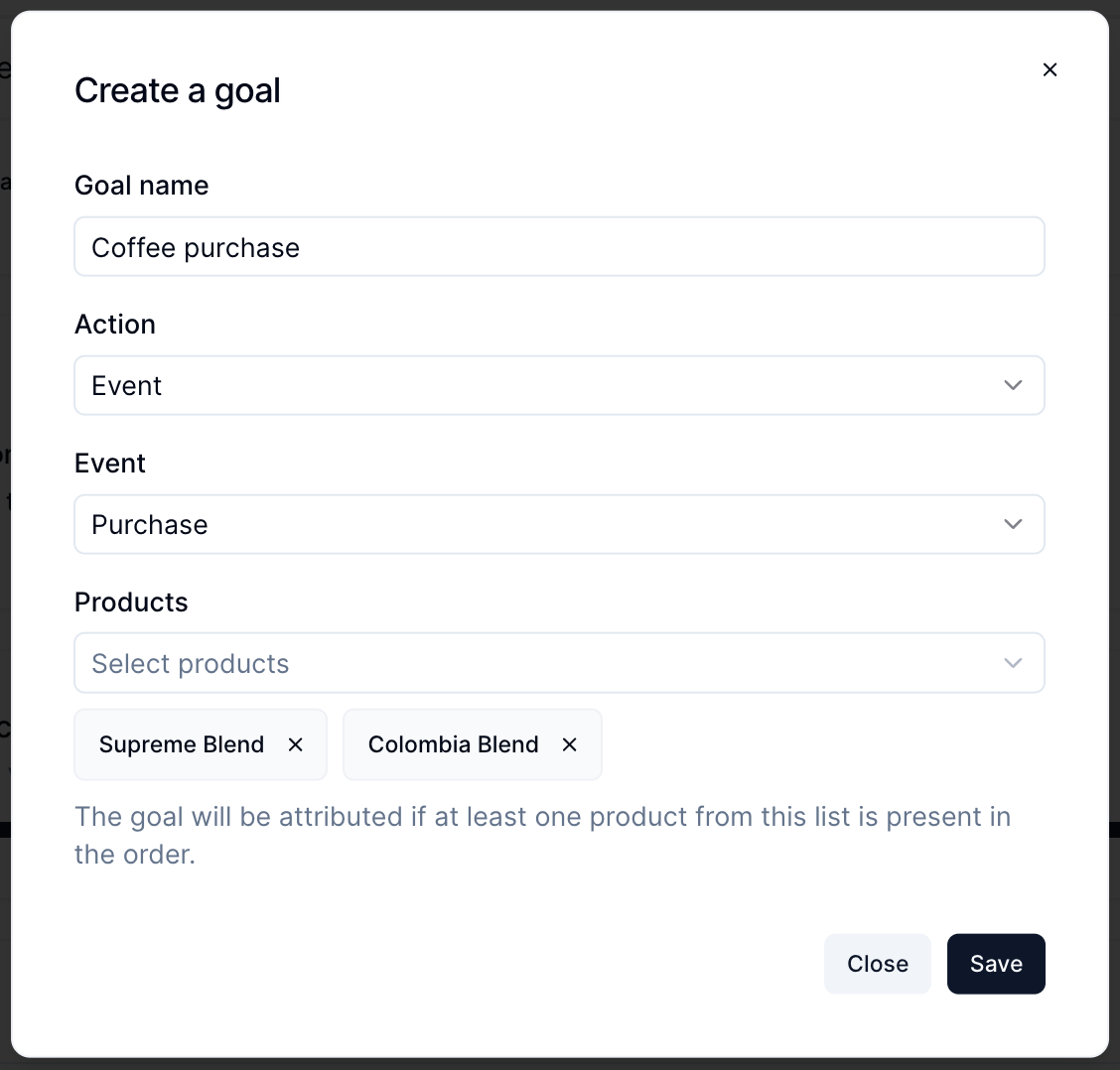
You can now create custom purchase event goals for specific sets of products, allowing you to track the performance of product experiments (and other types of experiments) on a per-product basis, giving your data more precision and granularity.

Improved profit analytics

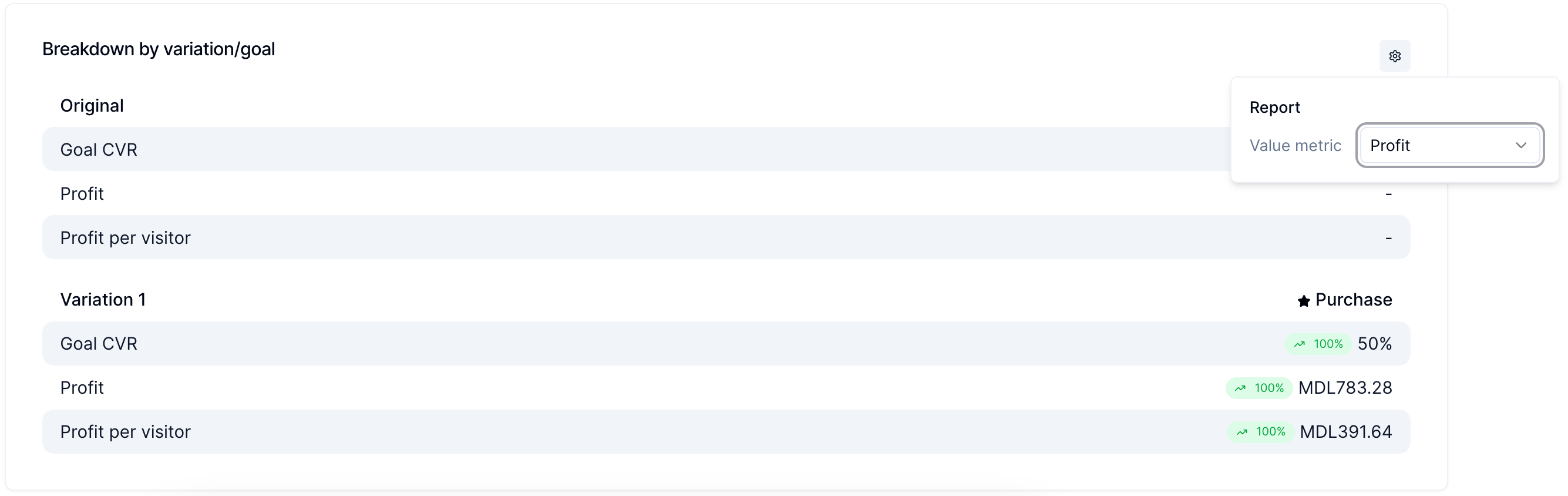
When you enable profit tracking you will be able to configure which value metric you track in your reports - it can be Profit or Revenue (or Extra revenue for cross-sell widgets). This allows you to dig deeper into how your experiments actually impact the most important metrics.

Market targeting

We've built a new targeting filter allowing you to target campaigns and widgets by market, which is useful if you want to run price experiments that are sandboxed to a single market.

With that, we are taking another step into making Personizely the ultimate revenue profit optimization toolkit, but we're not stopping there ;-)!

Let us know what you think!

February 2025

New feature

Personizely 3.0 - our biggest release to date, is here!

Personizely 3.0 - our biggest release to date, is here!

Welcome to Personizely 3.0! This major release marks a transformative leap forward, with a fresh new design, powerful analytics, a completely rebuilt widget builder, new a/b testing campaigns, and much more. Let's dive into what's new!

✨ A Fresh Look & Smoother Experience

We've completely revamped the Personizely interface with a brand-new design system to make your workflow more intuitive and enjoyable:

  • Modernized UI & Accessibility – A fully redesigned interface with accessible components ensures ease of use for all.
  • Streamlined Navigation – A more straightforward layout and intuitive menu help you find what you need faster.
  • Better Plan Quota Visibility – Get a clearer picture of your usage at a glance.
  • Quality-of-Life Enhancements & Fixes
    • Your selected status filters now persist when navigating widgets and campaigns.
    • New survey widget templates with image options for better engagement.
    • …and many more improvements to make your experience smoother!

🔍 Smarter Tracking Detection

Personizely now automatically detects tracking code presence based on event activity. If the script isn't found on your site but events are received, we'll mark the code as present, ensuring better tracking reliability.

📊 Advanced Analytics for Widgets & Campaigns

We've completely overhauled analytics to provide deeper insights into your performance and revenue.

📈 Widget Analytics

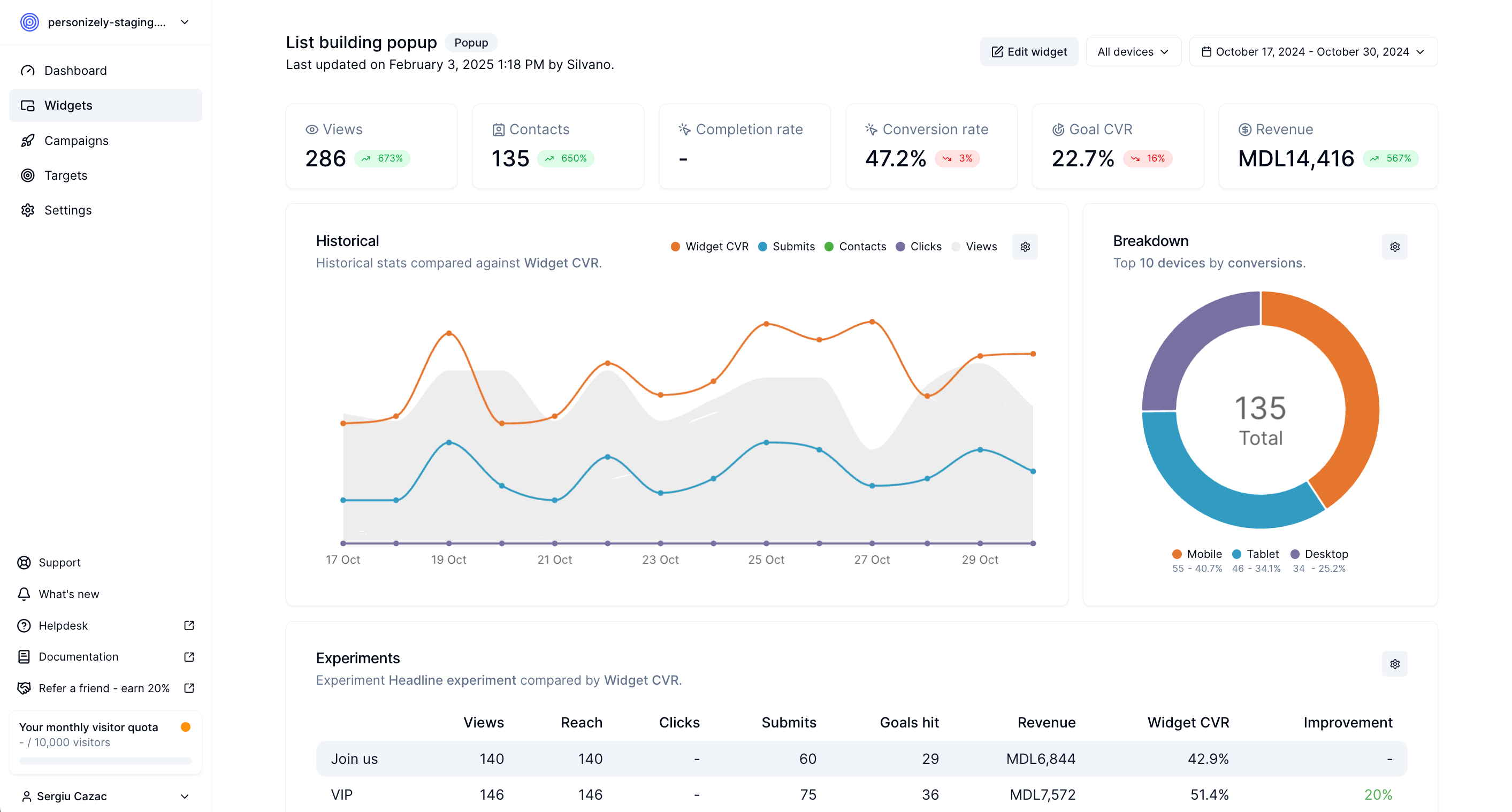
  • New Metric: Completion Rate – Track drop-offs for multi-step forms, quizzes, and widgets.
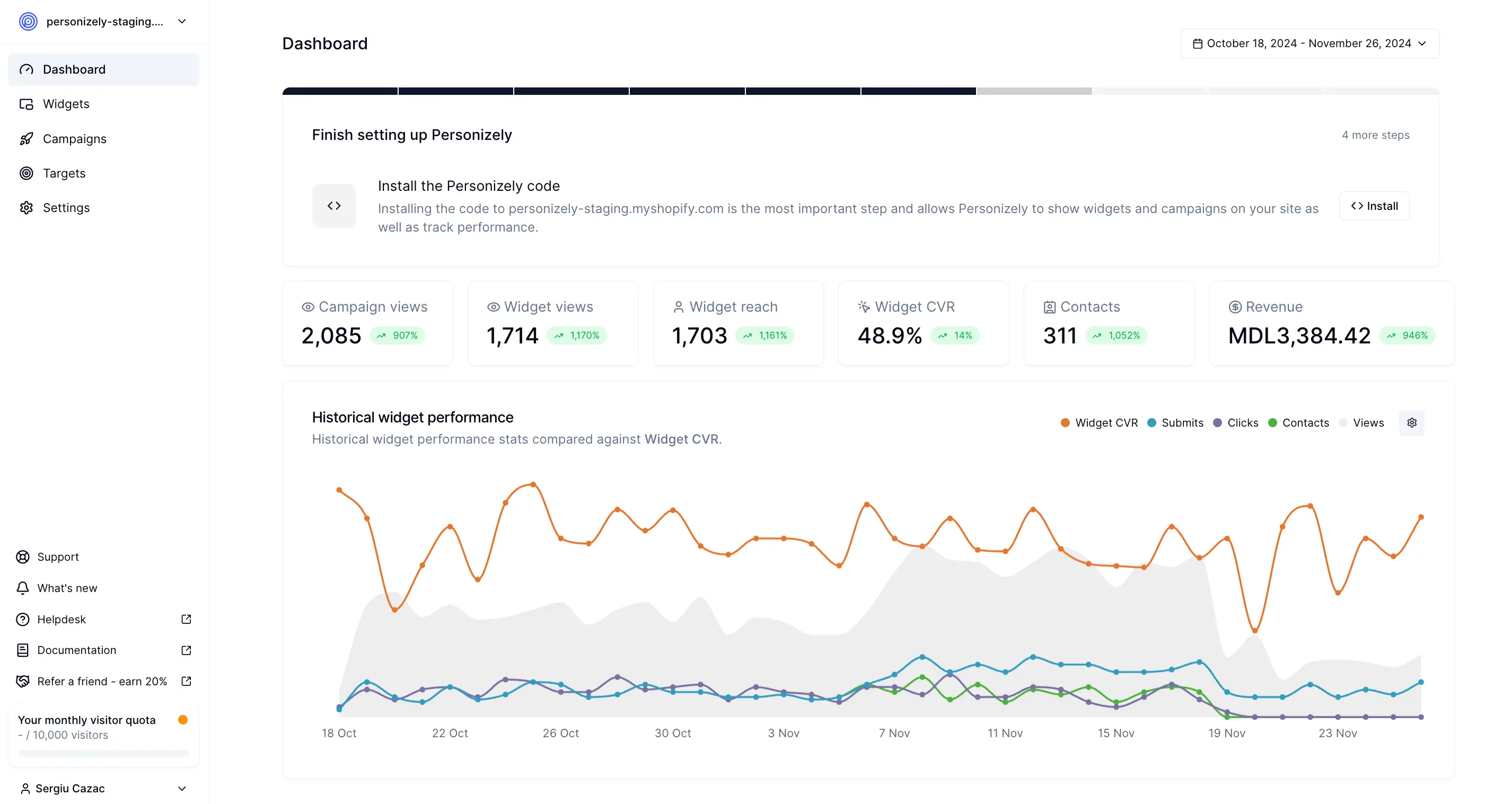
  • Revamped Look & Feel – Clean and modern analytics experience.
  • Device Stats at a Glance – Quickly see how widgets perform across devices.
  • Historical Performance & Revenue Tracking – Understand long-term trends.
  • Configurable Revenue Insights – Customize how you track attributed revenue, additional revenue, and profit.
  • Historical Experiment Analytics – Get long-term insights into A/B test results.
  • Flexible Chart Views – Switch between table, bar, or line charts for better visualization.
  • Device Filters – Analyze performance by desktop, mobile, or tablet.

📊 Campaign Analytics

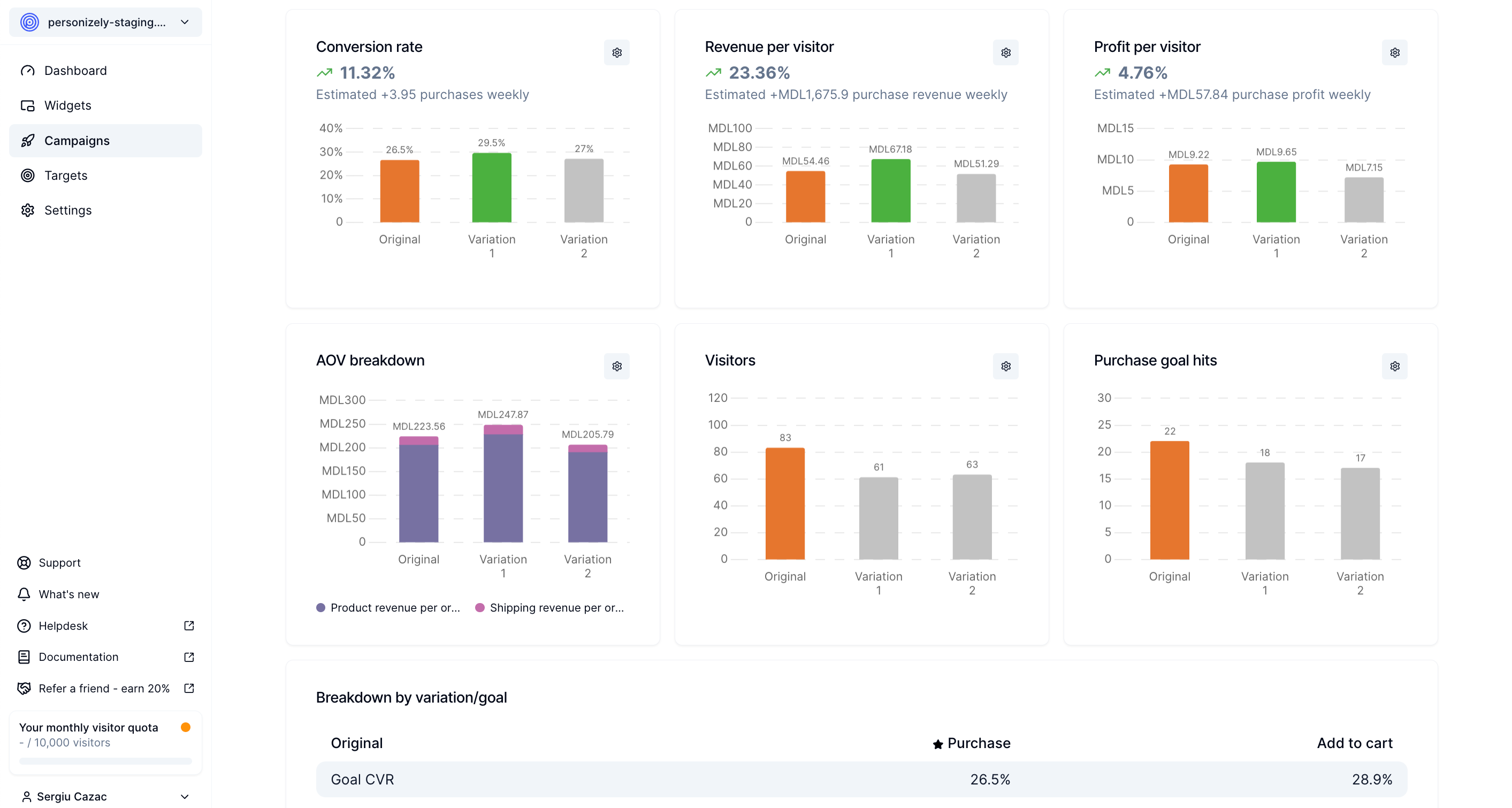
  • Historical Performance for All Campaigns – View stats over time, broken down per variation.
  • Profit Analytics – Track profitability per variation alongside revenue for smarter decision-making.
  • New Experiment Reports:
    • Conversion Rate by Variation – With estimates for a week, month, or year.
    • Revenue & Profit per Visitor – Track per variation to optimize pricing and strategy.
    • AOV Breakdown – Understand how different variations impact order value.
    • Detailed Visitor & Goal Hit Tracking – See engagement at a granular level.

🛠️ A New Widget Builder – Rebuilt from the Ground Up

We've completely redesigned the widget builder for greater control and flexibility.

🚀 Improved Workflow & Usability

  • New Layout with Sidebar Tabs & Settings Panel – Everything is easier to find and configure.
  • Better Step Management – Reorder, duplicate, or remove steps effortlessly.
  • Full Widget Structure Visibility – Drag and move elements between steps with ease.
  • Global Widget Branding – Set default colors and fonts across your widget.
  • Improved Experiment Management – Better handling of A/B tests within widgets.
  • Keyboard Shortcuts:
    • Cmd+S to save
    • Cmd+Z/Y to undo/redo
  • Autosave Protection – The Save button is disabled unless changes are made.

🖌️ More Design & Customization Options

  • Video Element – Use video files via link inside widgets.
  • Advanced Mobile Styling – Customize widgets specifically for mobile layouts.
  • Hover, Focus, and Active States – Apply styles for interactive elements.
  • Better Spacing & Box Shadows – More precise control over element styling.
  • Customizable Borders – Set border widths separately for each side.
  • Absolute Positioning – Ever wanted to have an image float out of the widget? This is the solution you were looking for.
  • Advanced Timer Settings – Set countdowns in seconds, minutes, hours, or days.

📲 Enhanced Interactivity & Accessibility

  • Improved Form Handling:
    • Better autocomplete hints for higher conversions.
    • More precise form field validation and placeholders.
  • Conditional Actions – Smarter logic for dynamic interactions.
  • Product Swiper – Display products in an interactive carousel with arrows on desktop & mobile in case you want to showcase more products that fit into a single screen.
  • Full-Screen Popups – Easily create immersive widgets that fill the whole device size.

🧪 New Experiment Types for Smarter Testing

  • 🔀 Split URL Experiment Campaigns – Run URL redirect tests with ease.
  • 🎨 Shopify Theme Experiments – A/B test entire Shopify themes to find out which is converting better.

⚡ Performance & Loading Optimizations

For Shopify users, we've added the ability to configure script loading (asynchronous or non-asynchronous), giving you better control over performance and site speed.

🔜 Coming Soon: Even More Powerful Features

We're not stopping here! These exciting features are coming soon after the release:

  • 💰 Price Testing Campaigns – Experiment with different prices for visitor groups while ensuring checkout consistency.
  • 📝 Enhanced Campaign Editor – A new campaign editor with more elements and customization options.

🎯 Ready to Experience Personizely 3.0?

This release is packed with features designed to enhance personalization, improve performance tracking, and provide a seamless user experience.

Log in now and explore Personizely 3.0! 🚀

This version delivers a massive leap forward in analytics, a/b testing, and usability.

Let us know what you think!

Note: If you experience any visual inconsistencies with your widgets, please let us know. While we tried to migrate the widgets with utmost precision, there might still be edge cases where small inconsistencies might have slipped away. But no worries, we'll happily help you fix them!

January 2024

New feature

Streamlined widget A/B testing, enhanced campaigns, goal-tracking and much more

Improved campaigns

With our latest update, we have introduced several enhancements to personalization and experiment campaigns.

Reusable campaign pages

You can now reuse pages across different campaigns, saving you time and effort in creating new pages from scratch.

Create goals from within the campaign editor

Creating 'click' and 'submit' goals has become much more convenient as you can directly do it from the campaign editor screen.

Reset campaign stats

We have added the ability to reset campaign statistics so that you can start from a clean slate once you're done testing the campaign.

Cloning campaigns

If you frequently use a specific campaign as a template, you can now easily clone it to create new campaigns with similar settings and configurations.

Campaign traffic allocation

You can now select traffic allocation for a campaign to only show it to a certain slice of your website's audience. This allows you to gradually roll up personalization or experiments.

Campaign live preview

Previewing variations on your live site has become hassle-free, providing a better understanding of how they will appear to your users without the need to simulate a specific target or random variation. Note that you still need at least one campaign to be active or scheduled for the preview to actually show up.

Campaign scheduling

Scheduling functionality was also added to campaigns so you can now plan and execute your campaigns more effectively.

Manually trigger personalization campaigns

Sometimes you might need the personalization campaign to trigger a bit later during a pageview, most of the time because the personalization variations targeting depends on a survey widget that the visitor has to submit first. This is why we now allow manually triggering a personalization using a widget automation or our JS SDK.

Draggable element editor box

It might be challenging editing some tricky-placed element one certain sites. For this we have added the possibility to drag the element editor box across the screen.

Expanded goal-tracking capabilities

We understand that every business has unique objectives, so we have expanded our goal-tracking options.

New goal types

Several new goal types were added:

  1. Form submit - allowing you to track form submits on your site's pages
  2. Scroll - allowing you to track how deep are your visitors scrolling on the site
  3. Time spent - allowing you to track how much time are your visitors spending on the site
  4. Event - allowing you to track events triggered via our JS SDK using the trackEvent method

Additionally have introduced the ability to specify the page for any goal type so that you can limit the page on which this goal will be tracked.

Default purchase goal

For integrations that require it (Shopify, Wix and GA4 for now), a default purchase goal is automatically created to simplify the setup process. Also, to prioritize specific goals within a campaign or widget, you can now select primary goals the primary goal for them. Moreover, you can select the which goals to mark as default so that they are automatically added each time your create a widget or campaign.

Improved Widgets A/B testing

Our widget testing capabilities have been significantly enhanced with this update. You can now create multiple experiments for a single widget while retaining historical statistics for accurate comparisons and insights. Additionally, experiment variations can be easily renamed for better organization and clarity. Once an experiment is stopped - you have the option to copy the winning variation onto you default widget variation.

To analyze the effectiveness of experiments, you can filter widget experiment statistics by specific goals. Furthermore, you have the flexibility to select the primary metric for an experiment, whether it's goal conversion rate, widget conversion rate, or revenue per visitor.

This change gives you the maximum flexibility to iterate on your widget ideas while retaining the original stats and analytics that you might historically need to make better decisions.

Widget enhancements

We have made several improvements to our widgets based on user feedback.

Reset campaign stats

If you need to reset your widget stats once you are done testing you now have the option to reset them.

Widget live preview

Previewing widgets on your live site has become hassle-free, providing a better understanding of how they will appear to your users without the need to simulate a specific target or random variation. Note that you still need at least one widget to be active or scheduled for the preview to actually show up.

Other improvements

To streamline your workflow, we have introduced the ability to sort element automation actions, allowing you to prioritize certain actions within forms and other element types that support automations.

Additionally, widget scheduling has been revamped so that you can conveniently schedule widgets from the same place where you activate them which is also consistent with how campaigns work.

We are continuously working on enhancing our platform and introducing new features to provide a seamless and efficient experience for our users. Stay tuned for more updates and improvements in the future!
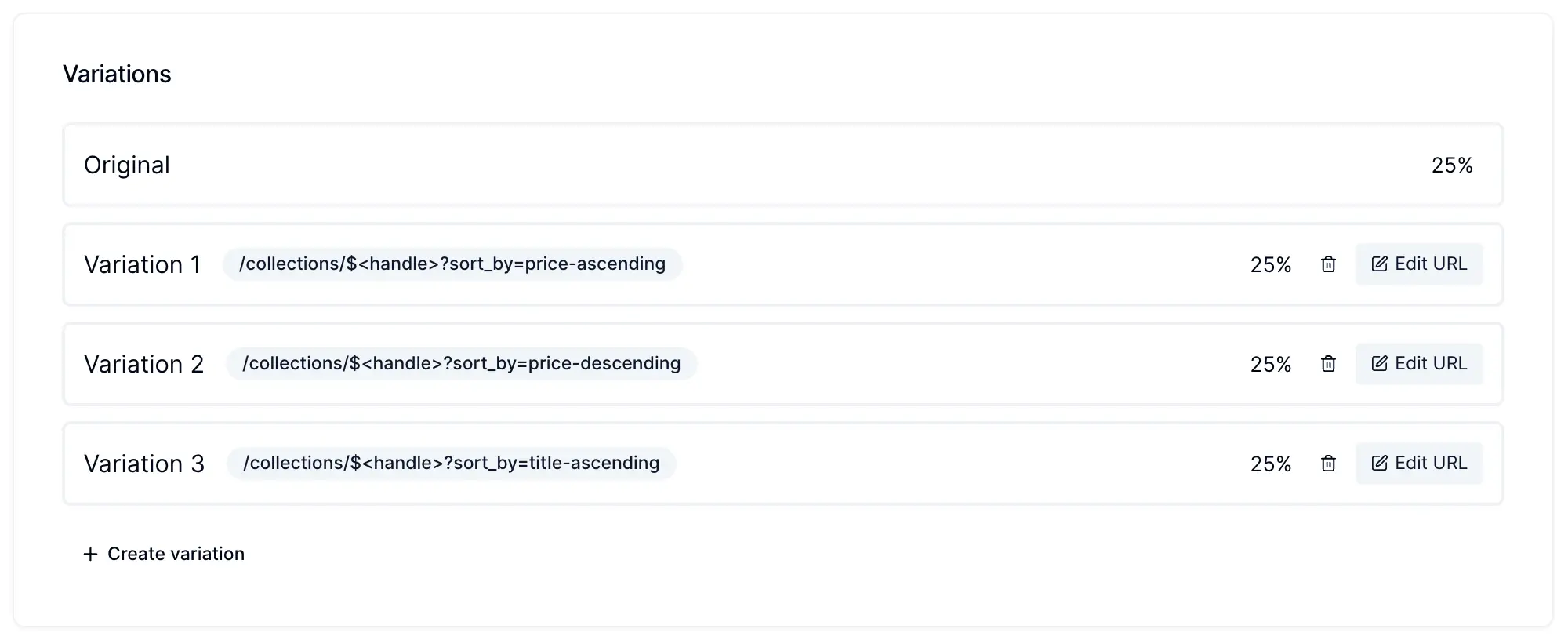
December 2023

New feature

Conditional actions in widgets

Conditional actions in widgets

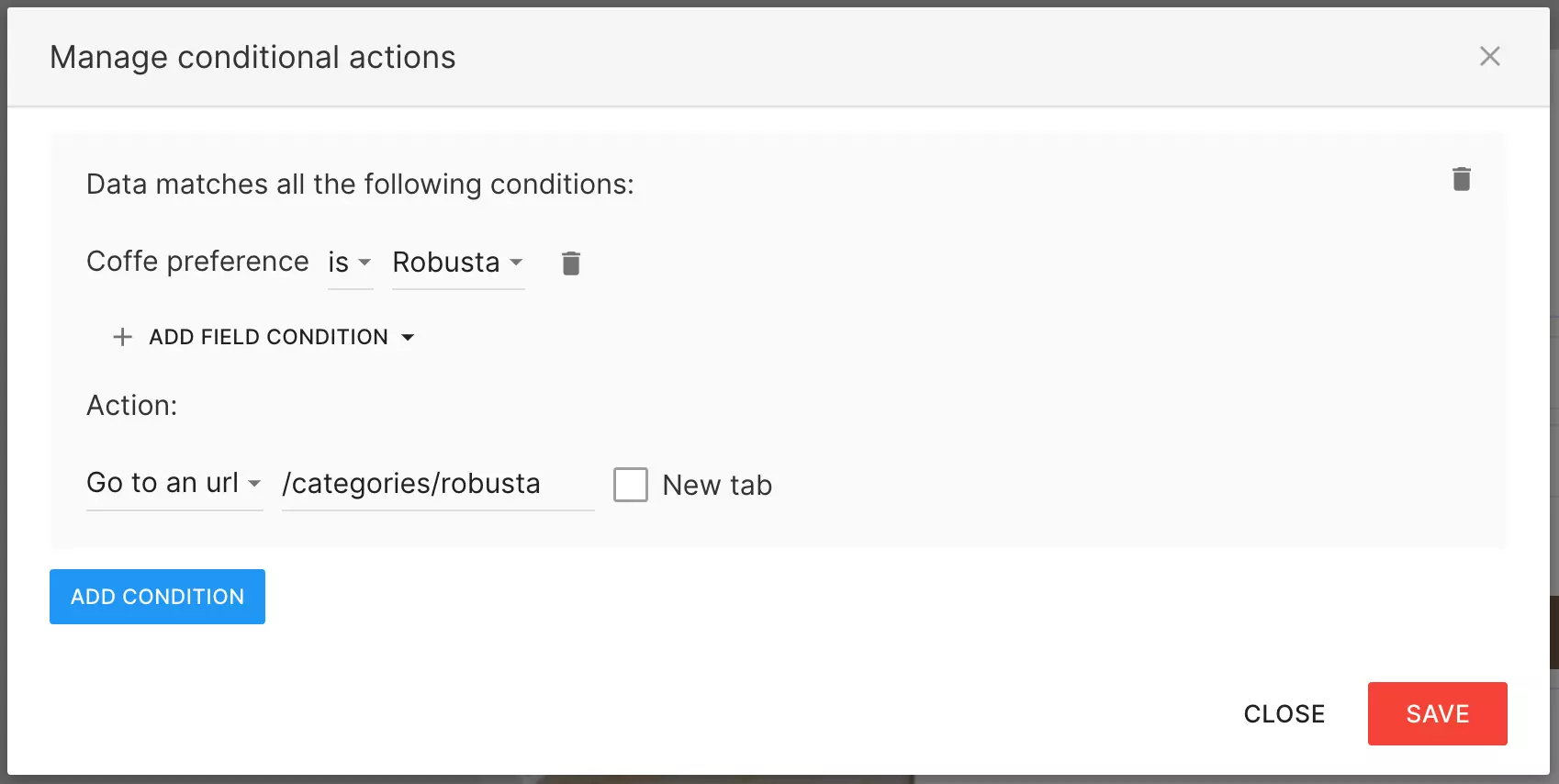
You can now set conditional action for widget elements like buttons, forms, and surveys. This allows you to execute different actions based on the information collected about a visitor using forms and surveys. Several conditional actions can be configured per widget to give you the flexibility to create truly personalized experiences.

New feature

Images in survey options

Images in survey options

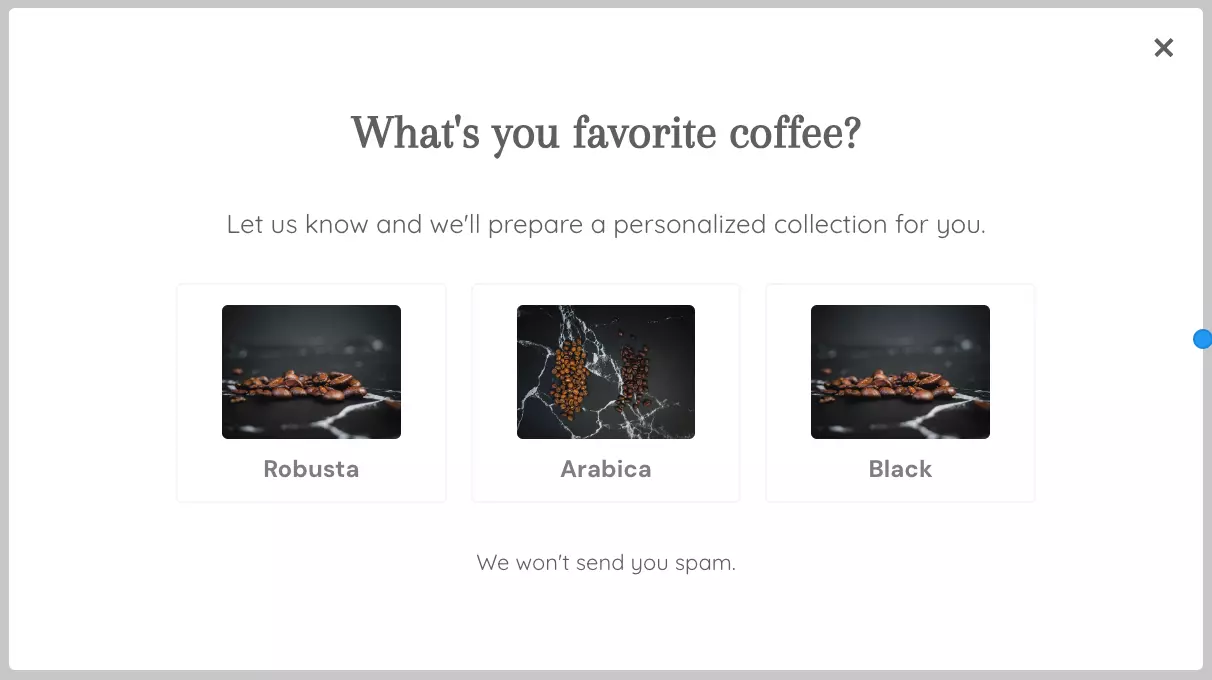
You can now use images inside survey options to better visually represent the options of your quizzes and surveys. There are 3 modes now: Text only, Image and text, Image only.

November 2023

New feature

Automatic revenue goal tracking with the Google Analytics integration

For customers that are using other platforms than Shopify and Wix, tracking revenue goals and attributing them to widgets and campaigns can be tricky. It requires creating a custom goal and running a JS snippet on your conversion pages. Now with our updated GA4 integration, we can intercept these events and register them in Personizely as conversions with revenue. This happens by intercepting the purchase event that your site is sending to Google Analytics.

You can learn more about GA4's e-commerce measurements here.

Note: This is irrelevant for Shopify and Wix customers as the tracking happens automatically there, using webhooks.

New feature

Ometria integration

You can now sync the contacts collected via your Personizely widgets to Ometria. Ometria is a customer data and experience platform for big retailers.

You can find the tutorial on how to connect the integration here.

Improvement

Multiple field type

Multiple field type

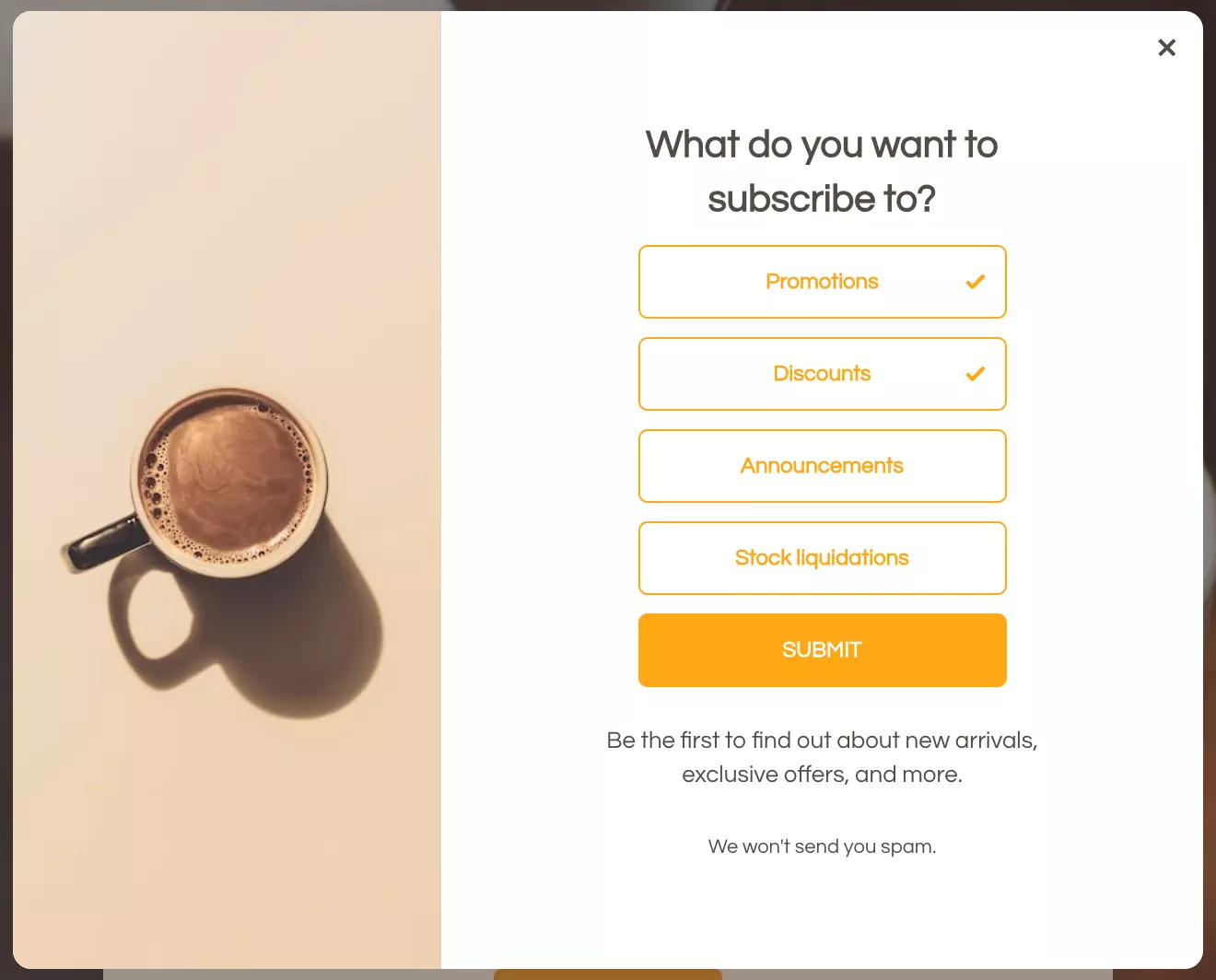
A new field type was added to Personizely. You can now use multiple type fields in your widget forms and surveys. You can create any amount of them for things like preferences, subscription options, or interests.

These fields are later passed to any integration provider you use, as a multiple field if the integration supports it or as a comma-separated values text if it doesn't.

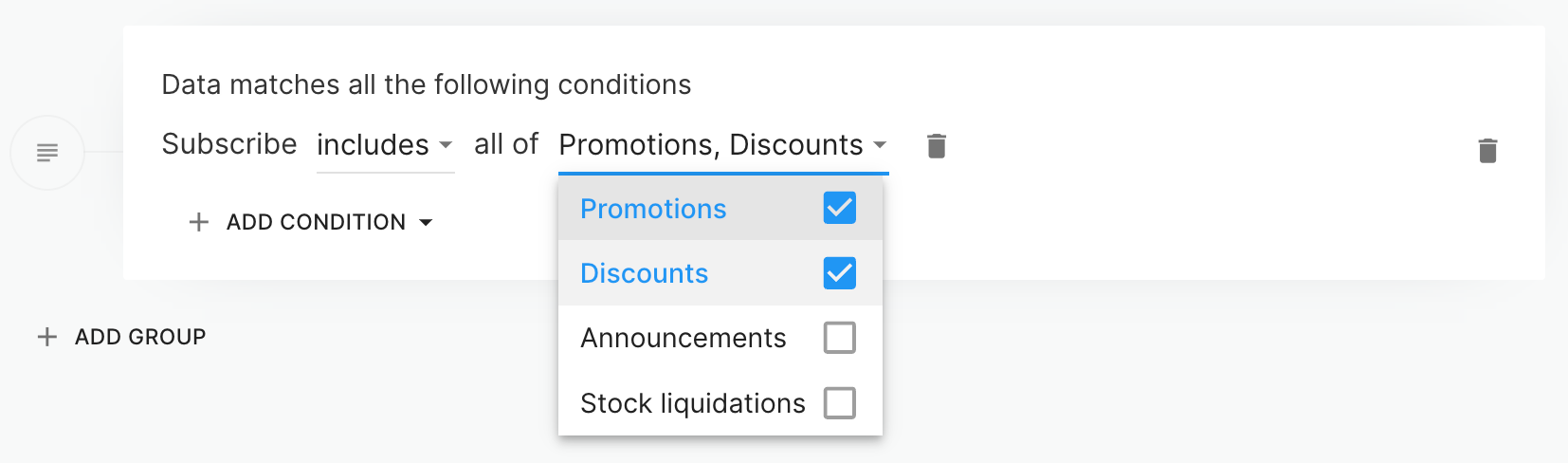
You can also use the data collected via these fields in your targeting.

New feature

Weather targeting

Weather targeting

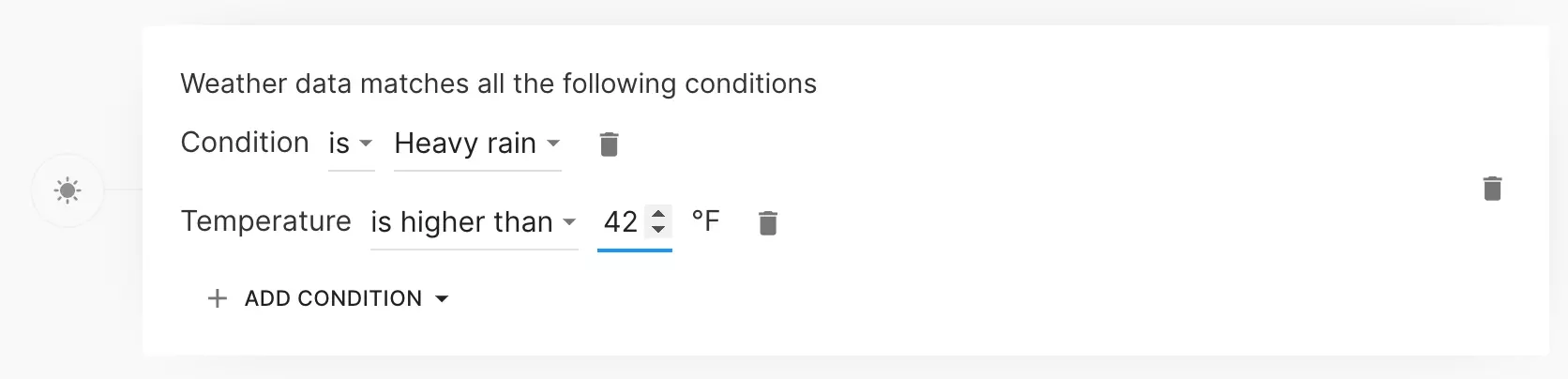
You can now target visitors by the weather in their area. The weather filter can be configured on several dimensions:

  1. Overall condition
  2. Temperature
  3. Wind speed
  4. Humidity
  5. Precipitation
  6. Cloud cover
  7. UV Index
  8. Pressure

This targeting filter can come in handy when creating targeted messages for apparel and accessories brands that want to match their offer with the overall outside weather conditions such that the visitors are more inclined to accept it.

Note: This filter is only available to the Premium plan customers.

New feature

Date field type

Date field type

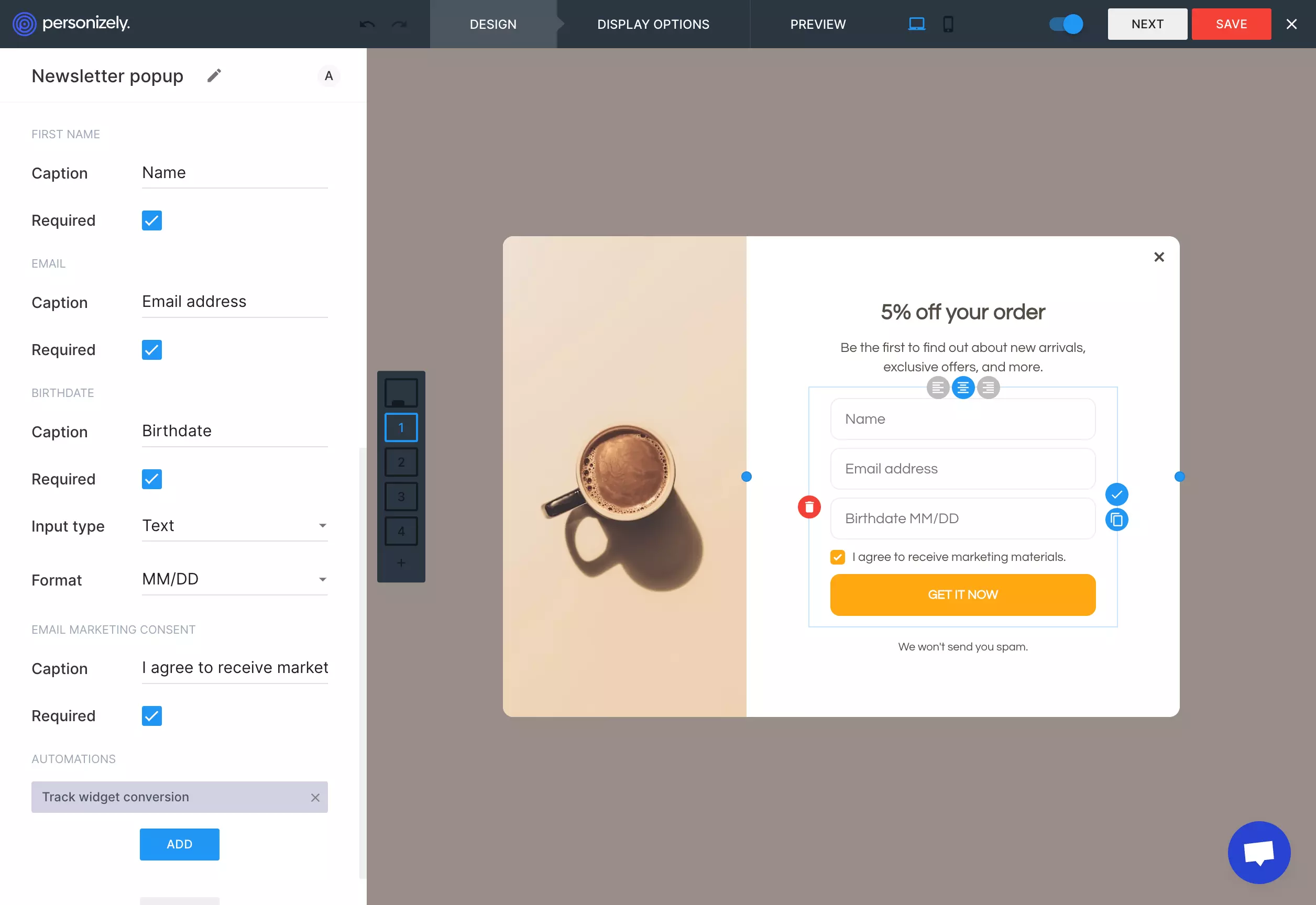
A new field type was added to Personizely. You can now use date fields in your widget forms. There is one default date field - birthdate, but you can create any amount of them for things like Appointments, Delivery dates, and others by creating a custom field.

These fields are later passed to any integration provider you use, as a date field if the integration supports it or as text if it doesn't.

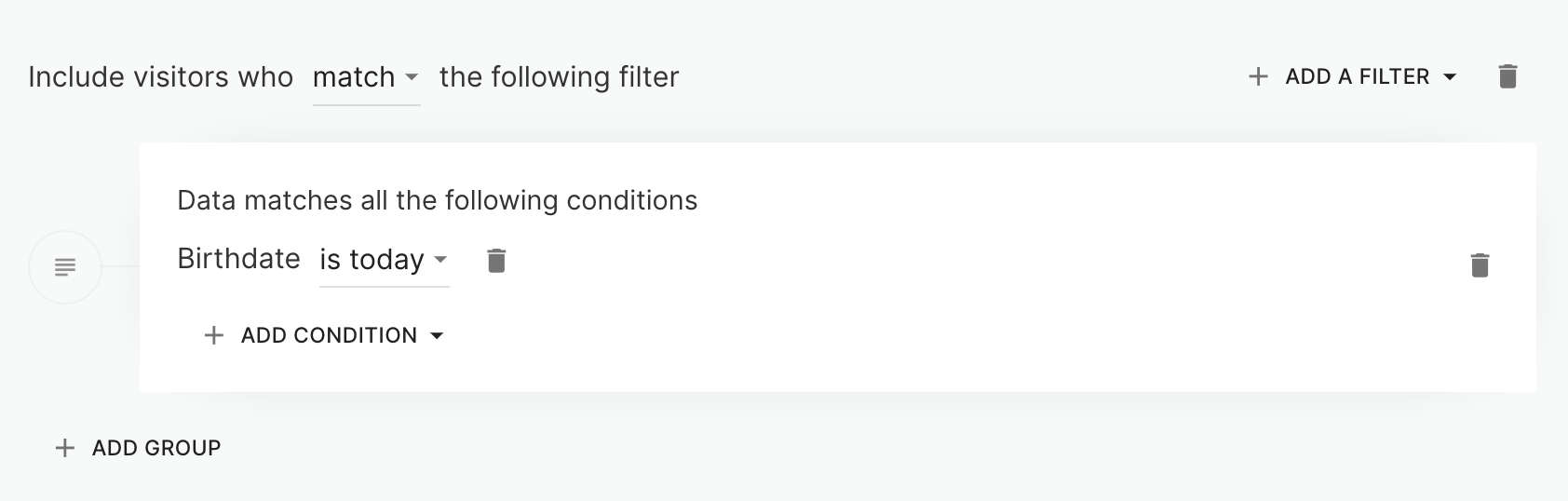
You can also use the data collected via these fields in your targeting.

Improvement

Revenue per visitor metric in campaign analytics

Revenue per visitor metric in campaign analytics

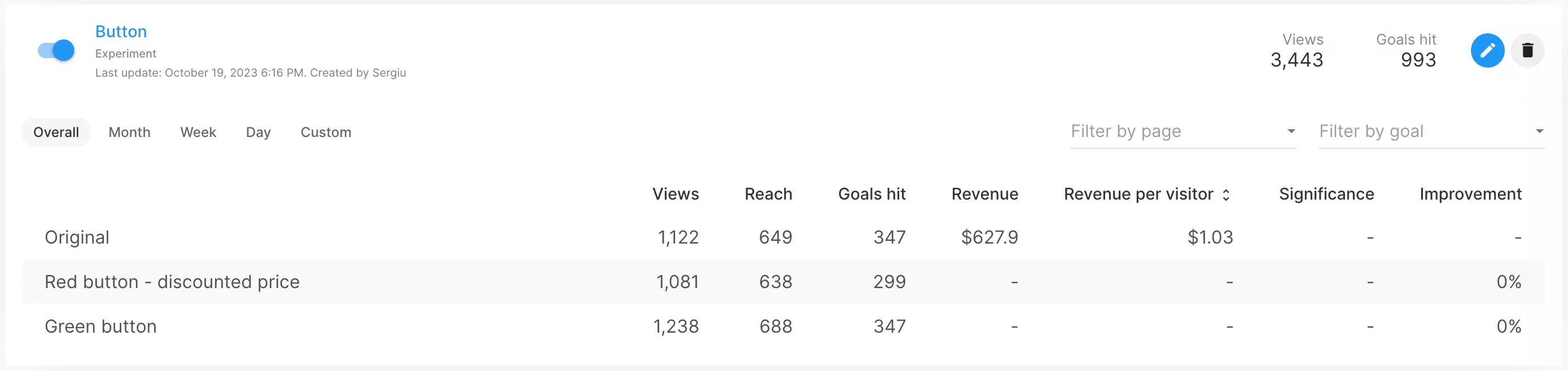
You can now see the revenue per visitor metric in your campaign and widget analytics. Switching to this metric also makes the significance and improvement metrics be calculated according to revenue as opposed to the single conversion rate metric rate that was available previously.