Personizelypersonizely.net

Personizely changelog

September 2021

New feature

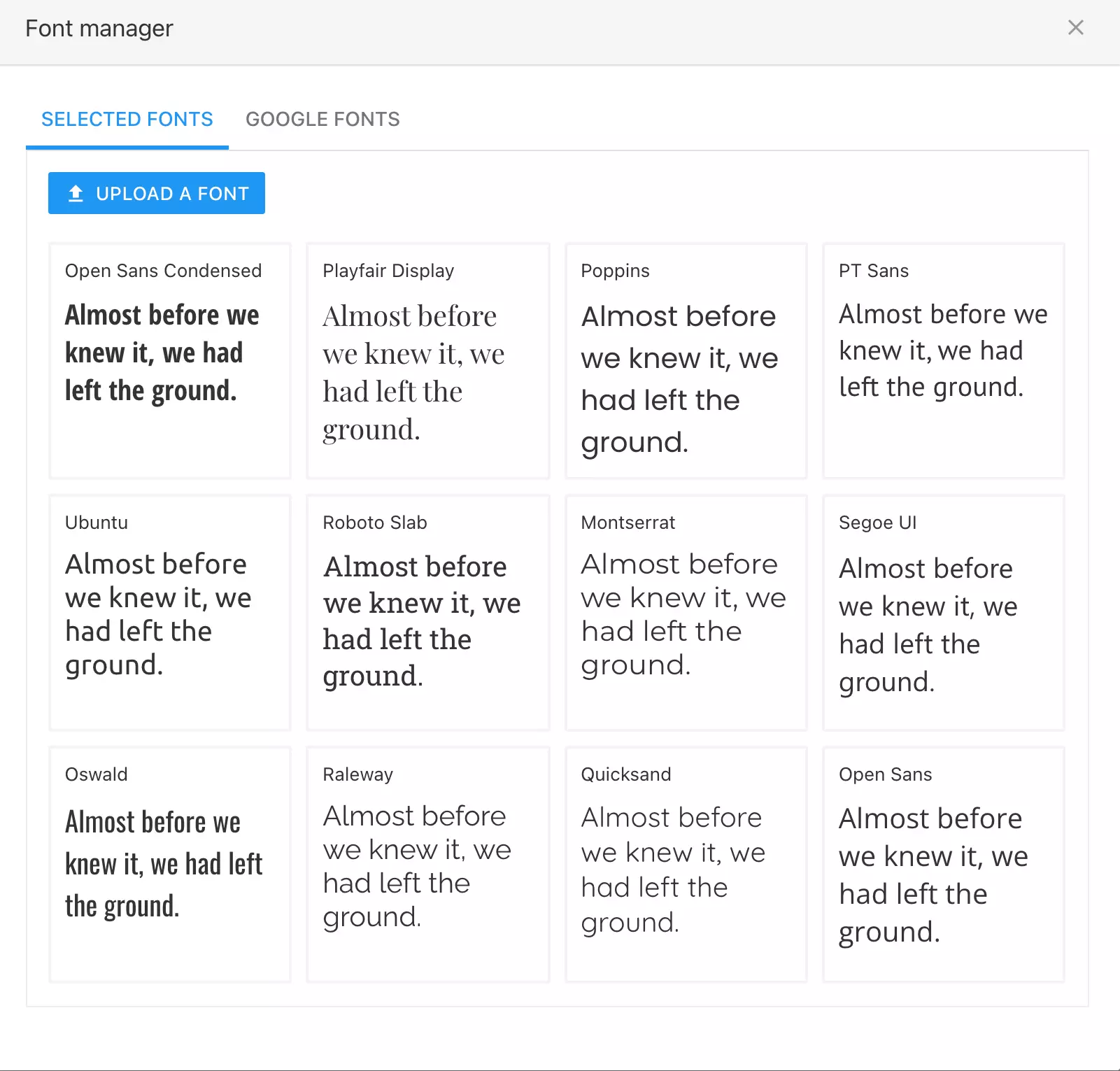
Fonts management and upload

You can now upload your custom fonts to Personizely. You can upload, TTF, WOFF, and OTF font files, you'll be able to specify the regular, italic, bold and bold italic font variants in order to properly display text in the given font.

Also, you're now able to add any font available in the Google Fonts library to your font collection, for later use in the widget builder. Just select it and it will be added to your library.

You can access the font manager by clicking the upload button near any font selection drop-down inside the widget builder.

New feature

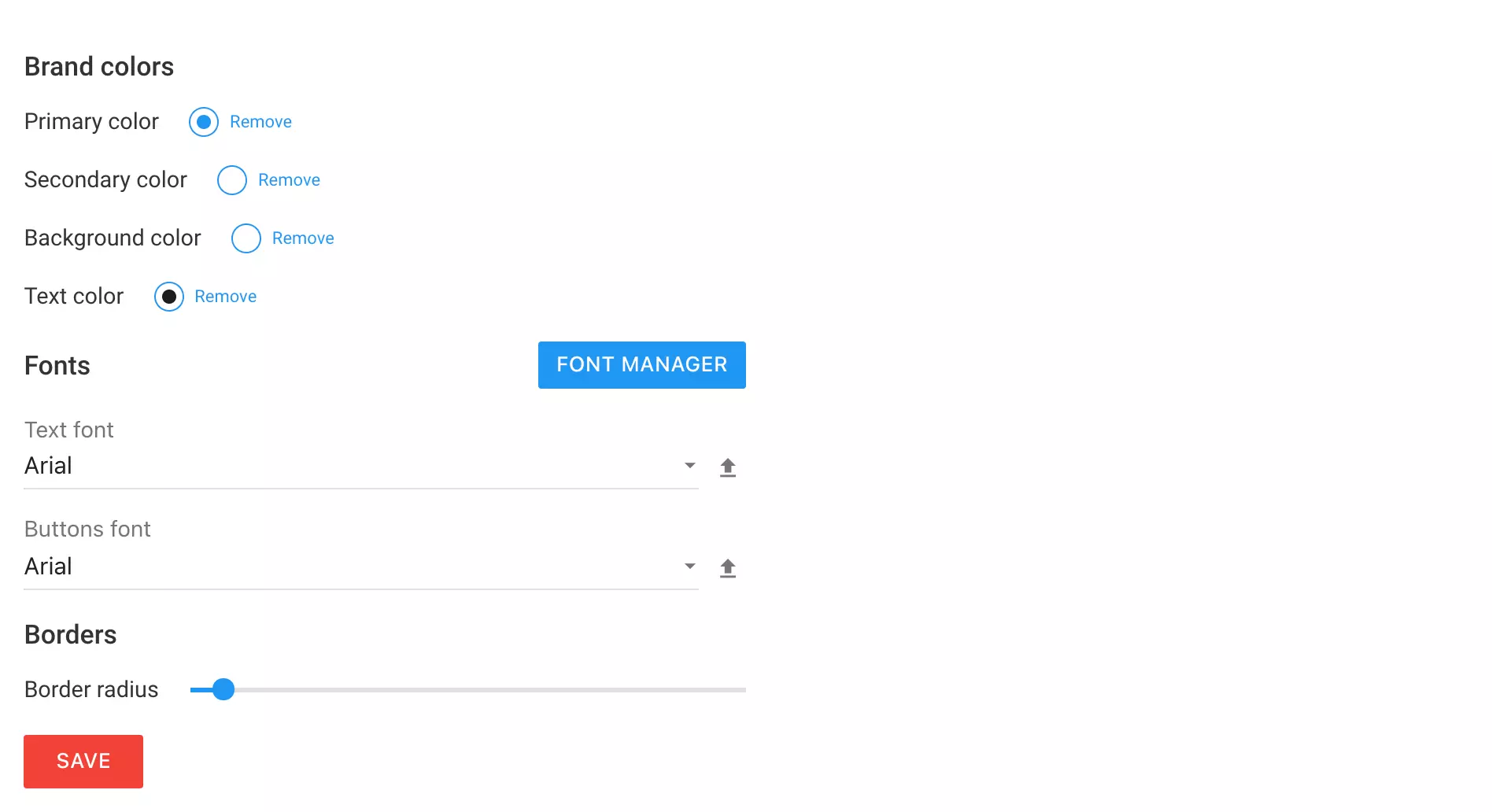
Website branding defaults

You're now able to specify your preferred branding settings which will be the default ones when you create a widget from a blank template, or when you drag and drop a new element onto a widget. You're able to manage your fonts and select which fonts are going to be the default ones while also being able to select your brand colors, so all the buttons, forms, and text elements match your brand guidelines when you add them to a widget. This allows you to quickly create widgets that are on-brand from the very beginning without the need to use a template.

To access the Branding settings page please go to Settings -> Branding.

New feature

New form submit alert option

We have now added an option to select whether to send all visitor's fields in the alert email or to just send those that are present in the relevant form. It will allow you to cut through the noise of all those fields that might not be necessary for this specific alert. By default, this will be disabled and you'll still receive all the filled-in fields in your alert.

August 2021

New feature

Widget teaser

A teaser functionality has now landed in Personizely. You may now show a small teaser of your widget before showing your full version of it or keeping the offer active using the same teaser if the visitor decides to close the widget. The teaser can be enabled by activating the Teaser step inside the new step switcher control (see the next topic in this release note). The teaser can be triggered after a delay or after a certain scroll percent. It can also be visually customized in a lot of ways to match your needs.

New steps navigation

Besides the teaser functionality, the widget steps navigation control has also been upgraded in order to always be at your fingertips, without the need to go to another screen.

May 2021

April 2021

New feature

[Action required] Optimized snippet bundle

We have changed how our code snippet should be used. We have removed the need to also include the CSS code onto the site by bundling it into our script file so you can now get rid of the tag from your snippet. To make sure that your code snippet corresponds to the up-to-date one please go to Settings of your website.

Note: For those using Personizely with Shopify - no action is required. For those using it with a WordPress plugin - just a plugin update is enough.

Improvement

Advanced email validation via DNS or via Bouncer and Truemail integrations

We have added advanced validation to our widget forms. Now by default, all emails are validated using a DNS check where we check whether the domain specified in the email can receive mail, this is one of the best ways to validate emails against users who just throw away dummy emails in order to receive a coupon.

Also, we added 2 more 3rd party service integrations which you can enable in the Integration settings which allow you to perform much more complex checks when validating emails, even by validating whether email usernames exist on the given server. These services are Bouncer and TrueMail.

If you have suggestions for other services for use to integration please let us know.

New feature

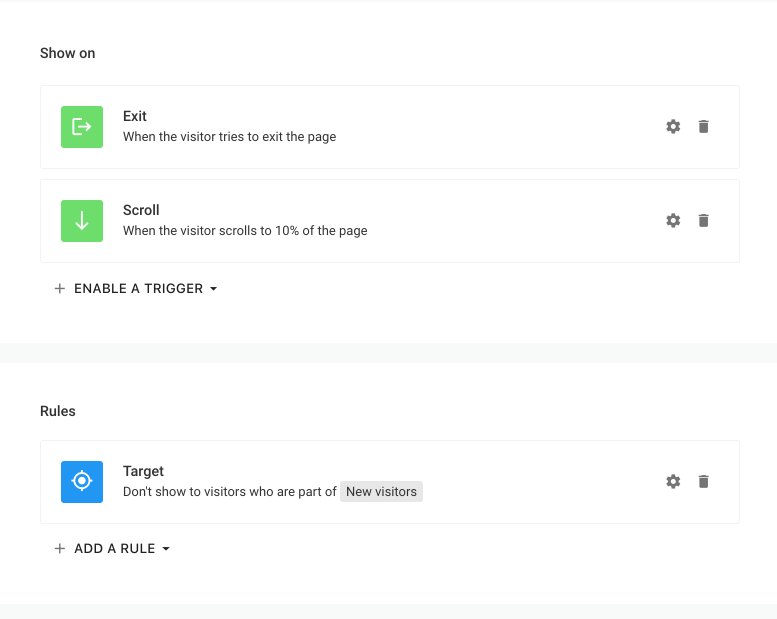
New widget display options, rules, multiple triggers and more

The widget Display Options were totally reworked to provide more flexibility in terms of triggers, targeting, and frequency options.

Triggers

  • You can now use more than one trigger per widget, and it will show up once the first one was fired. This should help you build much more effective widgets.
  • Exit intent now has the option to toggle on/off the mobile fallback by type. It should help if you like the scroll fallback but not the back button one.
  • Conditions - you can now add conditions to your triggers, that are constraints that you put on each trigger. For example - if you don't want to show up an exit-intent widget if someone spent less than 10 seconds on the site, you can use a time condition. A scroll percent condition is also available.

Rules

Targeting, frequency, and page settings now all turned into rules which you can add/remove. The rules were given a revamp to give you more flexibility.

  • Targeting - you can now also exclude visitors.
  • Frequency - you can now pause/stop the widget based on multiple rules and not only one which was available previously. Also, you can now pause the widget for a specific amount of time - after a number of views which wasn't possible. The widget can also be paused for the duration of a session.
  • A subdomains rule was added.
  • Pages - a new wildcard option - a double asterisk (**) was introduced to match any element including a slash.

Note: The widget will only show up if all of the rule checks are passing.

Hide triggers

You can now specify hide triggers which will make the widget hide automatically on a scroll or after a delay if the visitor did not engage with the widget (i.e. focused on it).

Session concept

A session concept has been built to help you target visitors by understanding whether this is their first or not session and/or whether this is their first view during a session. Also, the First visit targeting filter was renamed to the First page view for more clarity, its behavior will remain the same but a new First visit filter was added to reflect a visit as a session. A session or a visit is considered once a tab of the website is opened and is tracked across all tabs of the same site until all tabs are closed, after that the session is considered closed and if the visitor opens the tab again, a new session is generated.

Show widget automation action

You can now make a form/button/image show a widget upon click. This is done using automation. If you select this option, it will ignore the widget's trigger and forcefully show the widget up. You also have the option to suppress the rules if any on the target widget, and if not used the widget might not show up if some rule checks are not passing.
New feature

You can now invite teammates by email

You can now invite teammate by email by just sending them an invitation email, without needing to create a user and set a password yourself.

Improvement

3 new integrations

You can now send your contacts to Mailerlite, Aweber, and Constant Contact and target your visitors by their subscription status inside Mailerlite and Aweber.

March 2021

New feature

Better handling for "tall" widgets

  • Widgets that overflow the window height are now easier to work with inside the builder.
  • Widgets that overflow the widget height are now better scrolled on mobile devices.
New feature

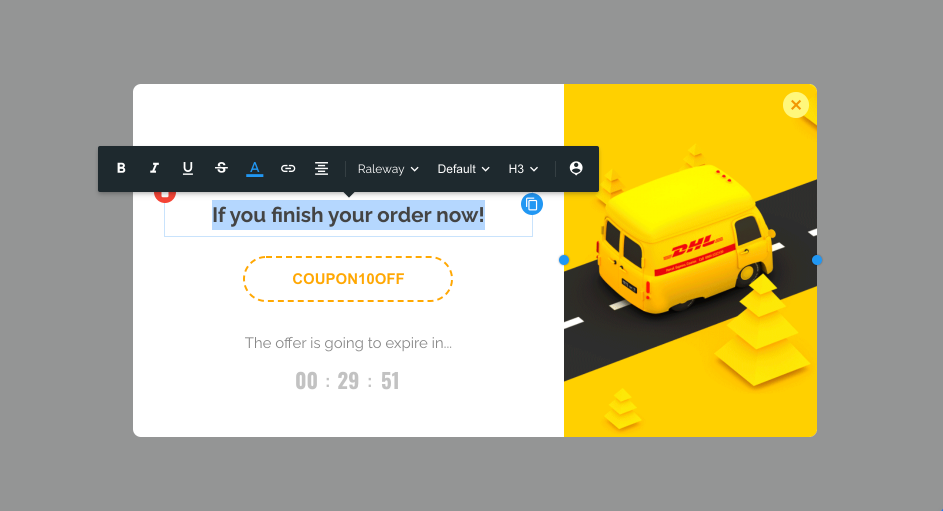
New text editor in Widget builder

A new text editor is now available inside the Widget builder. New capabilities of the text editor are:

  • Possibility to select whether link open in a new tab or not
  • Easy to use UI to include placeholders
  • Visual color picker
  • The editor tooltip is now better positioned inside the working area

New feature

Support markdown links in form captions

You can now include links in markdown forma into your form captions. This is going to allow you to link to your privacy policy for the marketing and privacy consent checkbox fields.

February 2021

New feature

Improved forms

Forms got a big upgrade and now look better when used with checkbox elements. Also, the simple Subscribe form has got the possibility to include a marketing consent into it without the need to use a Form element.

Improvement

Interactive widgets in preview

The widgets are now interactive in the Preview tab of the widget builder. This will help you make a one-last check of the widget's flow before publishing it.

New feature

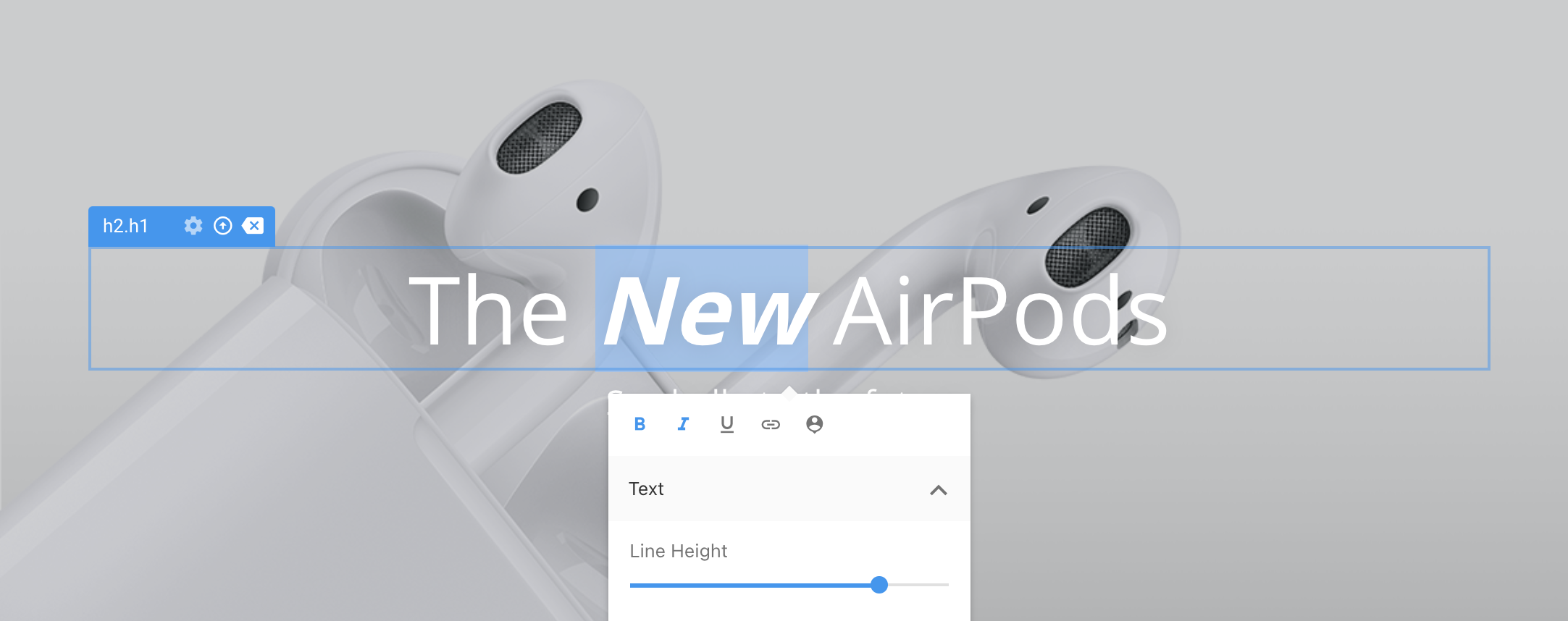
New text editor in Personalization editor

A new text editor is now available inside the Personalization editor, allowing you to easier edit text, include URLs, and include placeholders with more ease. It is now embedded inside the element editor so it looks more natural.

New feature

Cookie lifetime configuration

You can now configure the lifetime on the cookies that Personizely create for every one of your sites. This should help you stay compliant with GDPR and other regulations.

New feature

Scrollable product elements on mobile

You can now configure your product elements inside widgets to be vertically scrollable on mobile so they fit better on the small mobile screens.

Improvement

Coupon clicks now counted towards widget's click statistics

Now when someone clicks on a coupon element inside Personizely widgets, to copy its value to the clipboard, a click event is being registered onto the widgets statistics. This will help better understand the impact of certain types of widgets.