New feature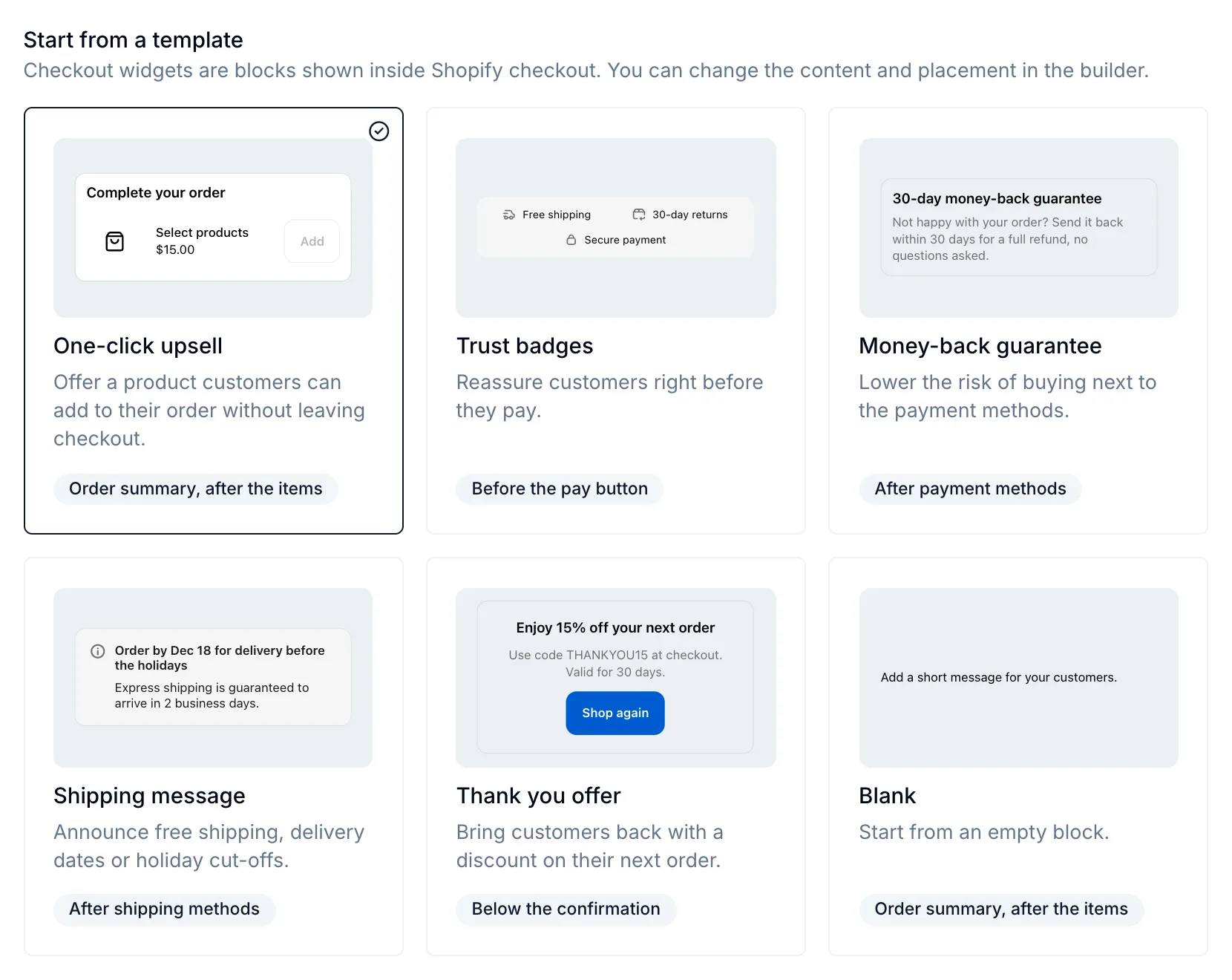
Add widgets to Shopify checkout and the thank you page
You can now build widgets that show inside Shopify checkout and on the thank you page: one-click upsells, trust badges, shipping messages, countdowns and post-purchase offers. They're built in the widget builder you know, and you can target them, A/B test them and see their views, clicks, conversions and revenue like your other widgets.
How to use it
- Go to Widgets → Create widget and choose Checkout widget.
- Pick a template: One-click upsell, Trust badges, Money-back guarantee, Shipping message, Thank you offer or Blank. Each card shows what the template looks like in checkout.
- In the builder, choose the page (Checkout or Thank you page) and the position on it, then edit the content.
- In Shopify's checkout editor, add the Personizely checkout widgets block at that position. The builder shows whether the block is there, and links you to the editor.
What you can build
- Elements made for checkout: heading, text, banner, image, button (with an optional icon), product offer, cart progress, timer, icon, divider and container. They use Shopify's checkout components, so your widgets match your checkout's branding.
- Ready-made presets: Trust badges, Customer review and Sale countdown.
- Product offers that add a product to the order in one click, from products you pick or from a rule set matched to what's in the order, at the shopper's market price. You can apply a discount code with it.
- Buttons with the same Action and Automation settings as your other widgets: open a URL or close the widget, and add a product to the cart, apply a discount or track a conversion with the click.
Targeting, A/B tests and analytics
- Target checkout widgets by cart value, cart items, market, location, device and your visitors' history, and schedule them by weekday or timeframe. Widgets that depend on the order update when the shopper changes it.
- Run experiments with several variations and a control group. Each variation can have its own position.
- A view is counted when the widget actually shows. Buttons and product offers get the Track widget conversion automation, like in your other widgets, so their clicks count as conversions. Purchases are credited like for your other widgets, including shoppers who go straight to checkout without visiting your store first.
Good to know
- The thank you page works on every Shopify plan except Starter. The checkout steps need Shopify Plus.
- Product offers, cart progress and the Add a product to the cart and Apply discount automations only work in checkout, not on the thank you page.
- A widget whose product offer has nothing to offer (no matching or available products) doesn't show.
Read the full guide: Checkout widgets (Shopify).